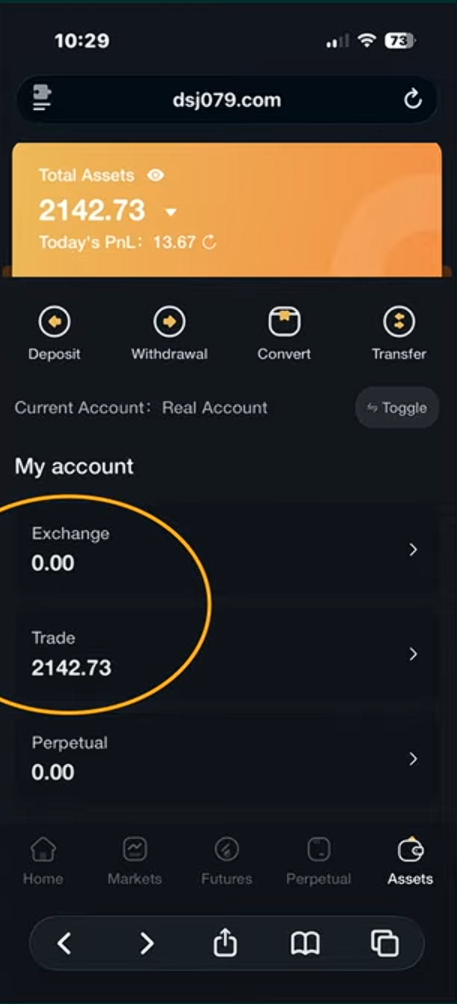
Steps to Get You All Set Up
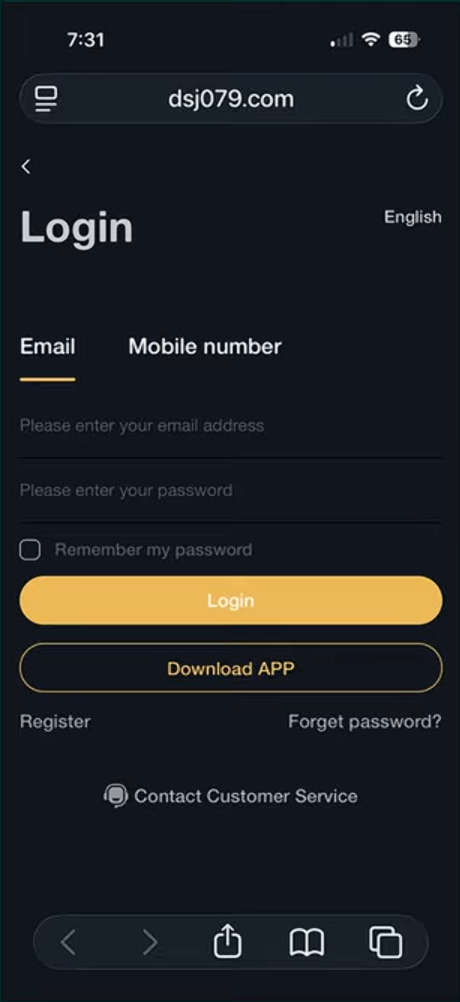
Step 1 — Log Into Your DSJ Account
Go to the DSJ website.
Enter your email and password.
Click Login.
Step 2 — Open the Deposit Page
Once logged in, you will see the home screen.
Find the Deposit button.
Tap Deposit.

Step 3 — Select Deposit
Once logged in, you will see the home screen.
Find the Deposit button.
Tap Deposit.

Step 4 — Choose Your Currency
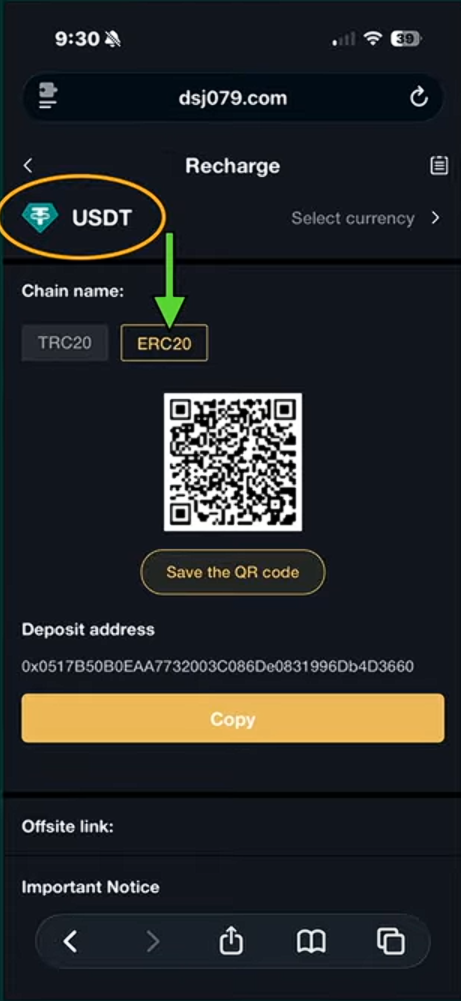
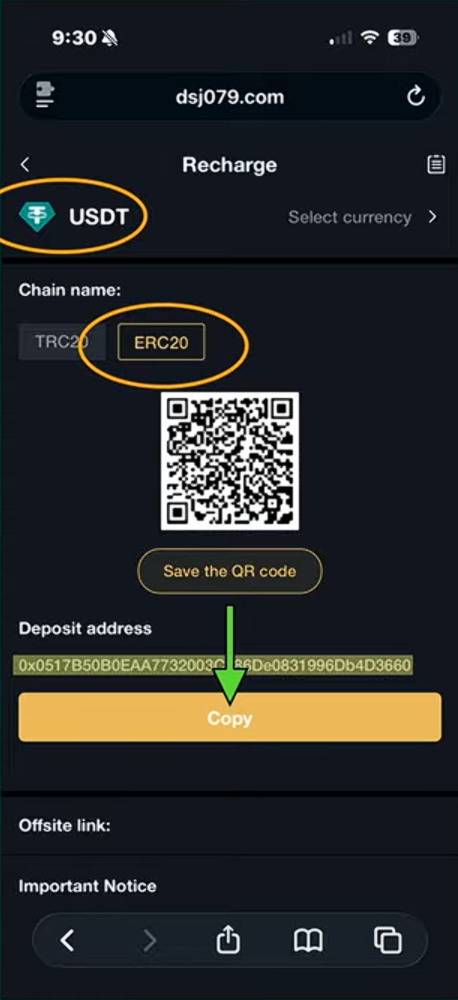
Make sure USDT is selected.
Select the ERC20 (Ethereum network).
This must match the network you send from.
⚠️ Important:
Always send using the same network.
Step 5 — View Your Deposit Address
You will now see your deposit QR code.
Under the QR code is your deposit address.
This is where you will send your funds.
Step 6 — Select Currency (Optional)
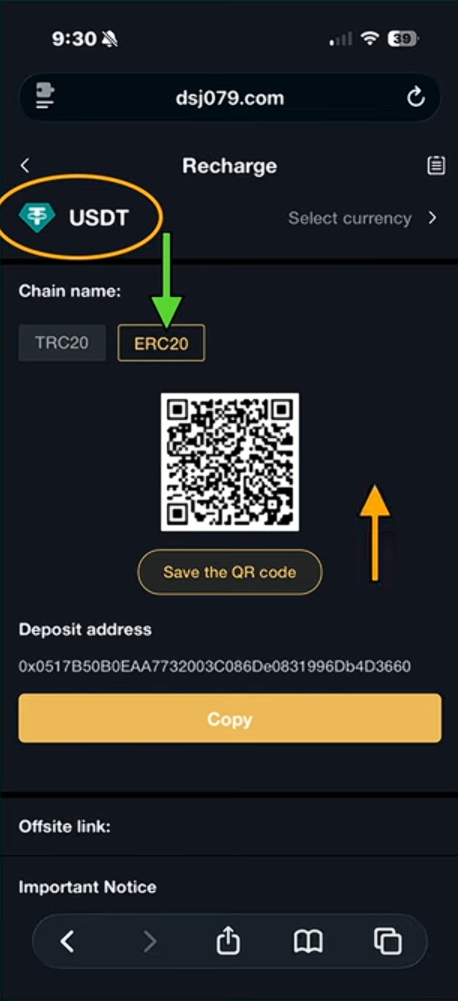
If needed, click Select Currency.
Options include:
USDT
ETH
BTC
USDC
For this guide we use USDT.
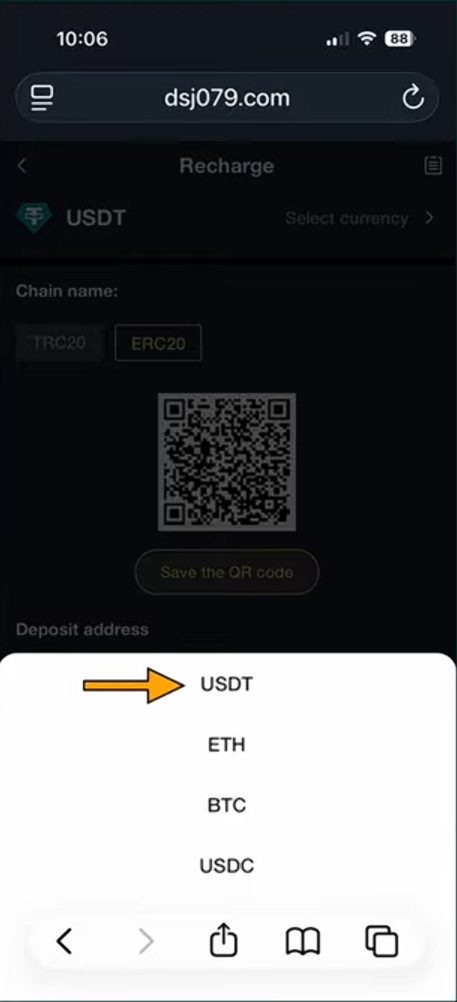
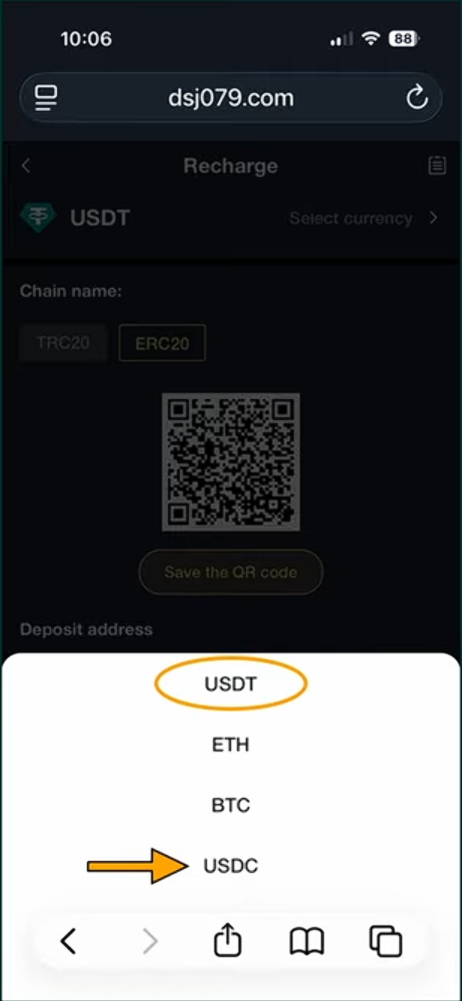
Step 7 — Confirm the Currency
Make sure USDT is selected.
Confirm you are still on the ERC20 network.
Step 8 — Copy the Deposit Address
Click Copy under the deposit address.
This copies the address to your phone.
You will paste this into your wallet next.
Step 9 — Open Your Wallet
Open your crypto wallet (example: MetaMask, CoinSpot, Etc).In this Step we will use MetaMask. Most wallets are very similar.
Click Send.
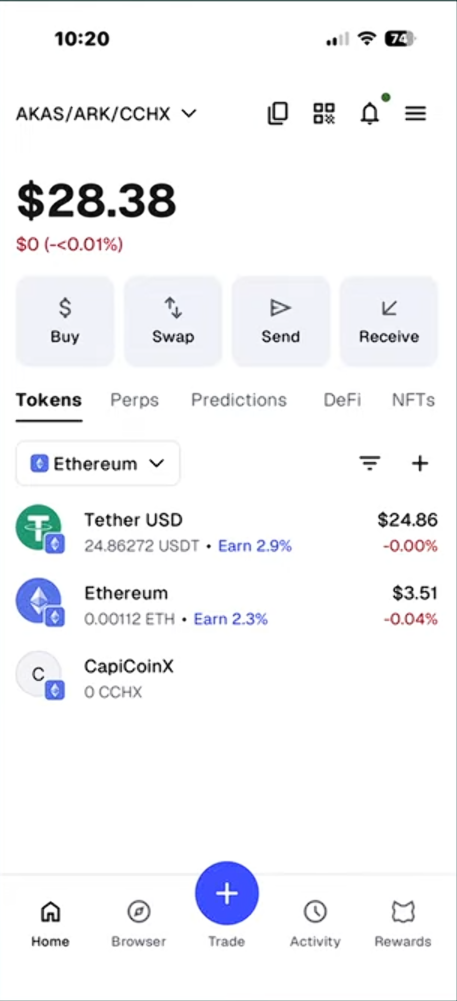
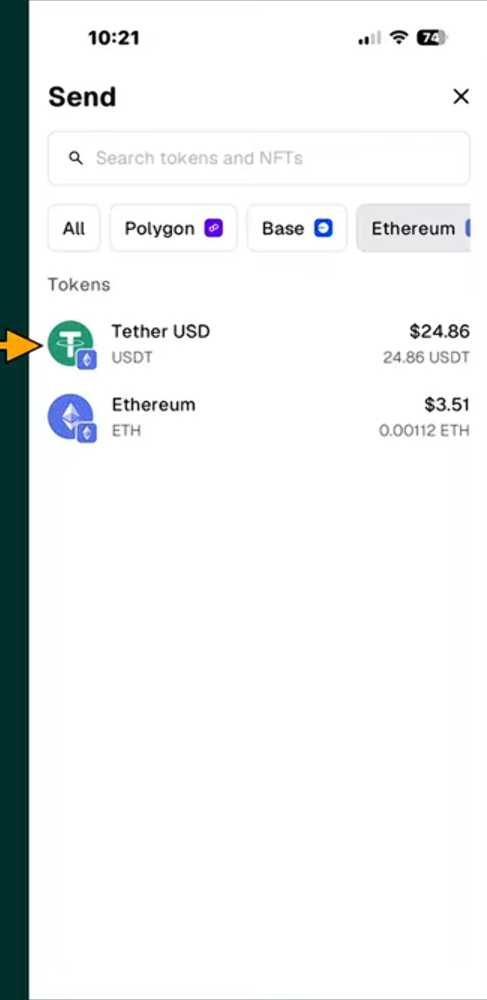
Step 10 — Choose USDT
Select Tether USD (USDT).
This is the coin you will send.
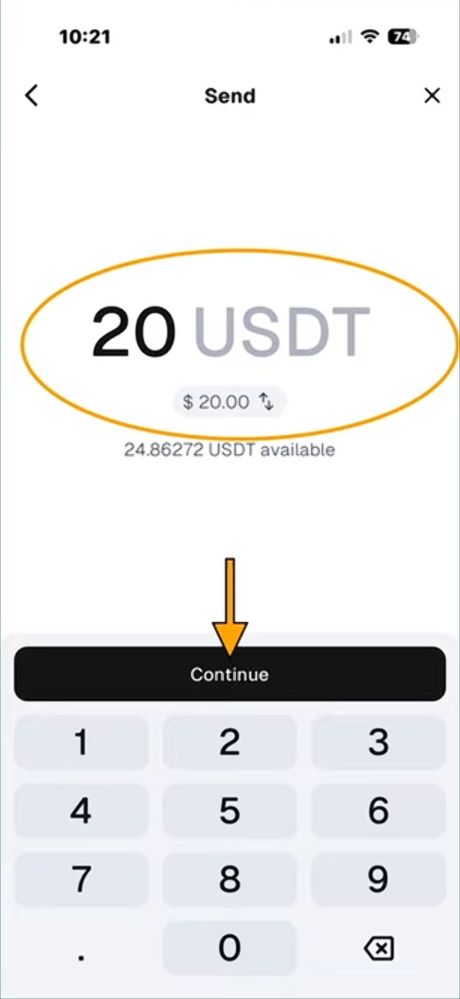
Step 11 — Enter the Amount
Enter the amount you want to send.
Example: 20 USDT.
Click Continue.
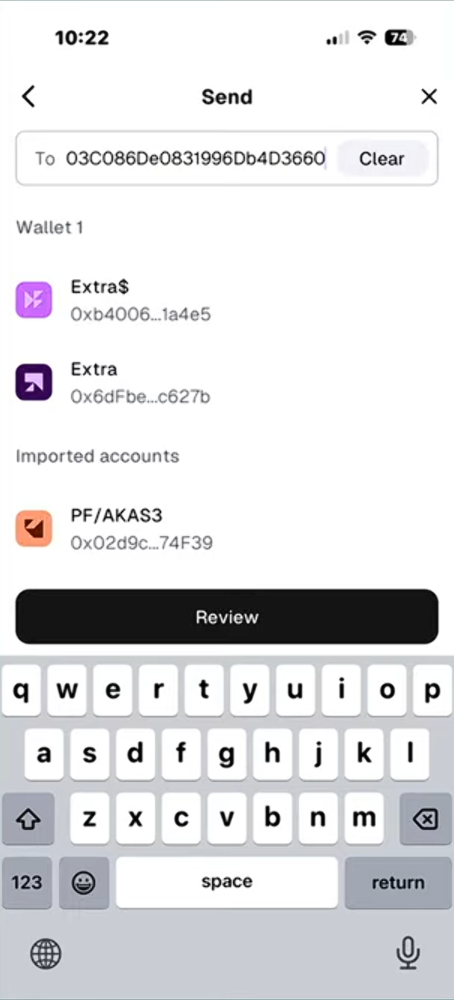
Step 12 — Paste the DSJ Address
Paste the deposit address you copied from DSJ.
Make sure the address matches.
Click Review.
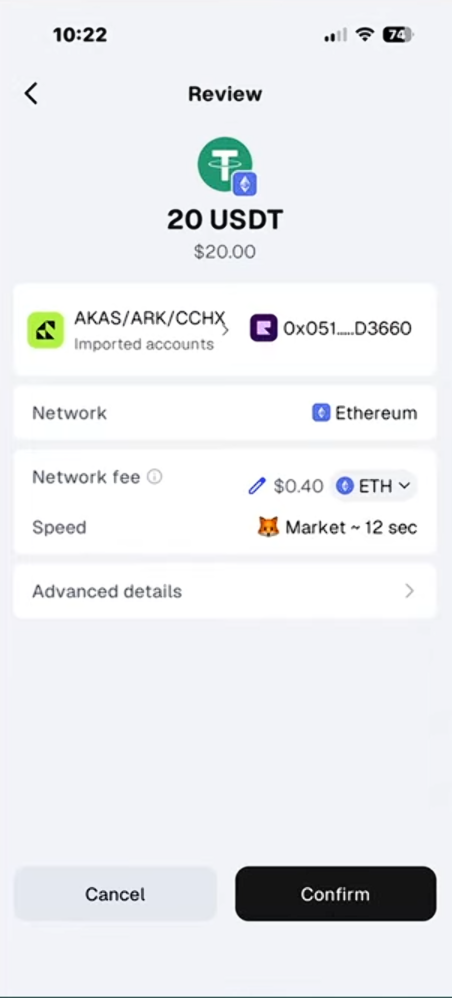
Step 13 — Confirm the Transaction
Review all the details.
Make sure everything is correct.
Click Confirm.
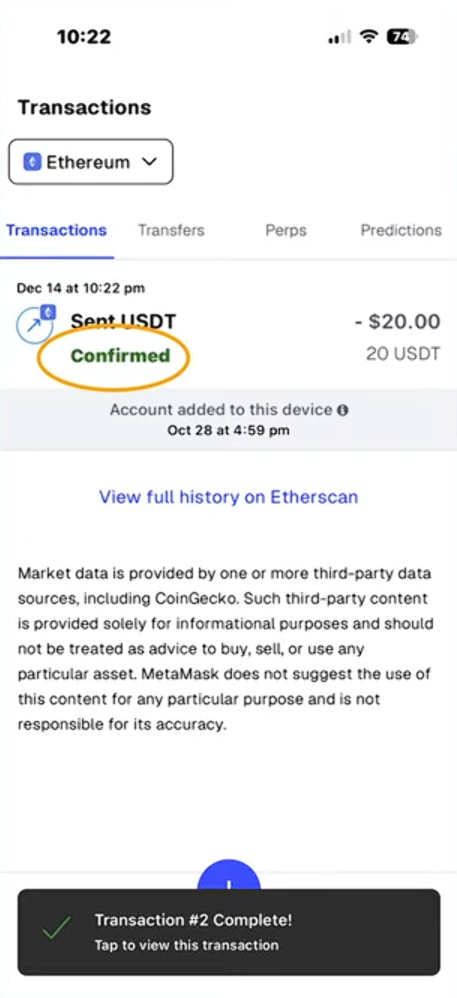
Step 14 — Wait for Confirmation
Your transaction will show Pending.
After a short time it will show Confirmed.
Step 15 — Check Your DSJ Account
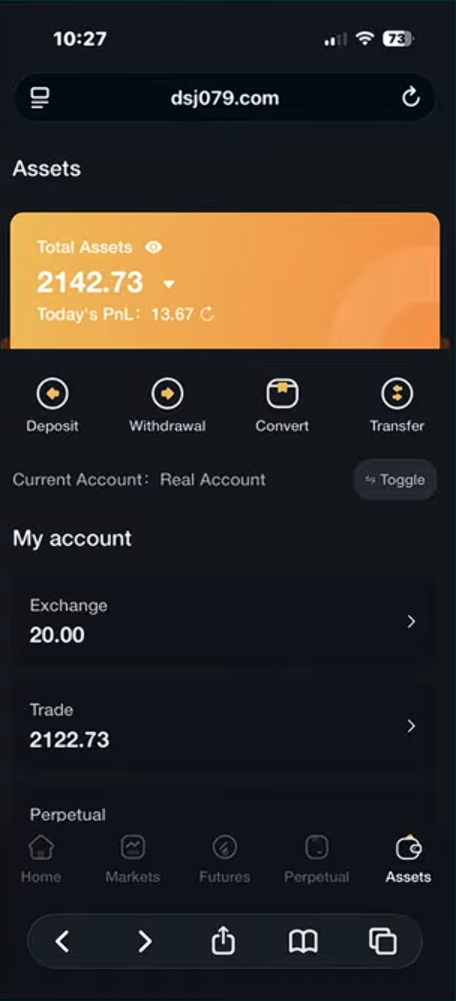
Go back to your DSJ account.
You will now see the funds in Exchange.
Step 16 — Transfer Funds to Trade Account
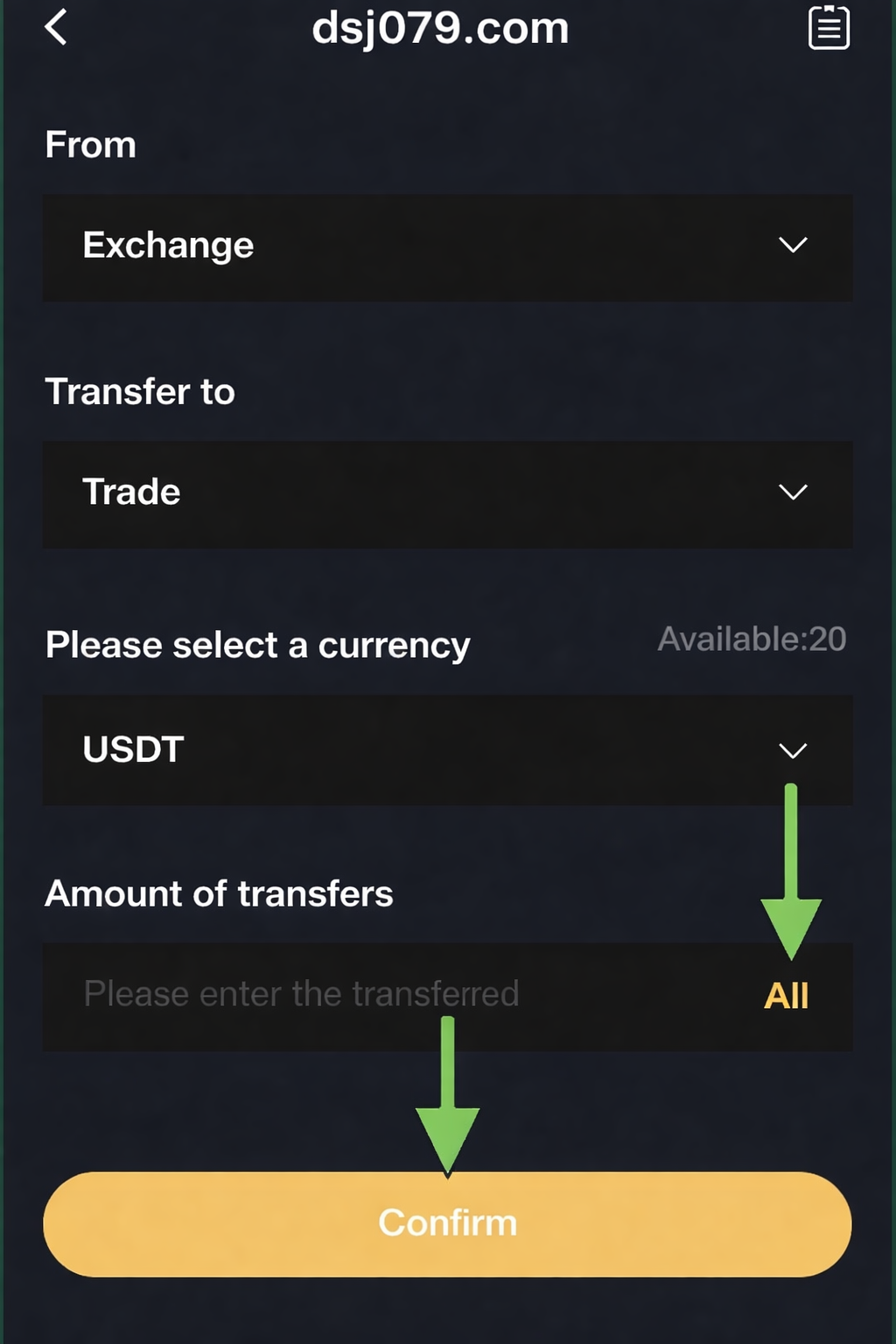
Click Transfer.
The system will move funds from:
Exchange → Trade.
Step 17 — Move All Funds
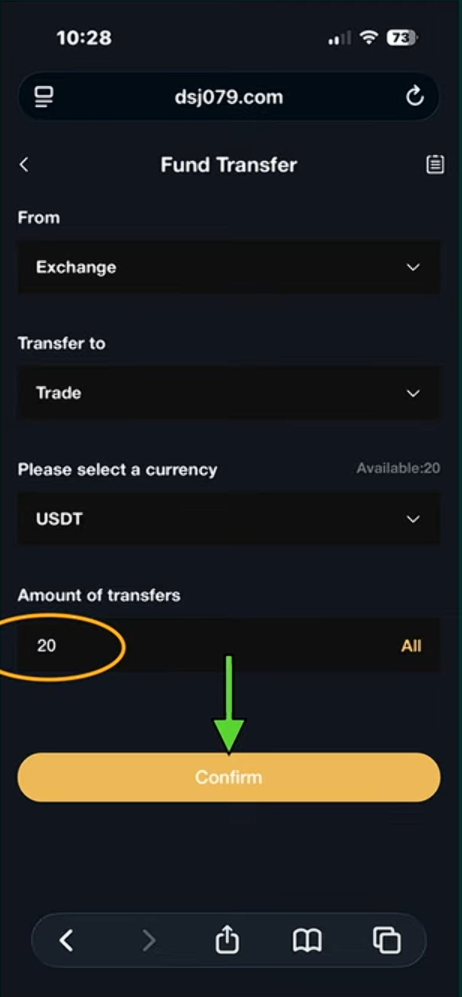
Click All.
This selects the full amount.
Click Confirm.
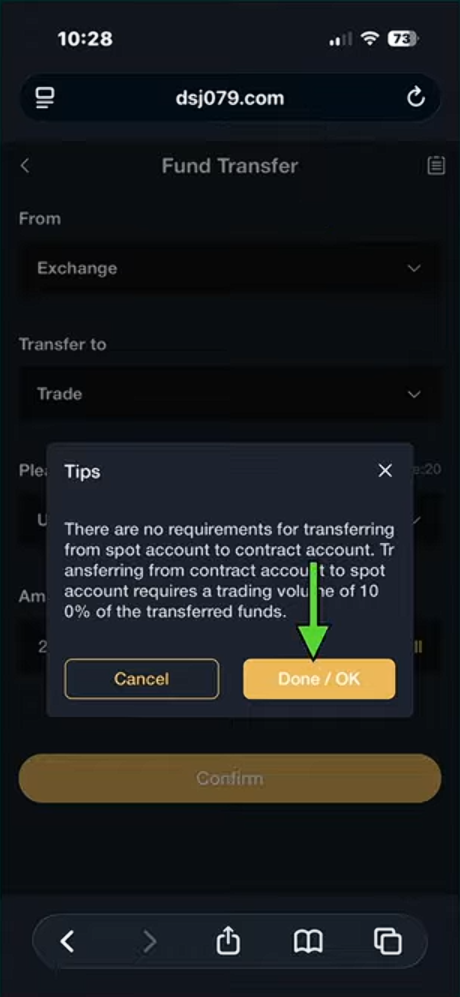
Step 18 — Confirm the Transfer
A confirmation message will appear.
Click Done / OK.
Step 19 — Funds Ready for Trading
You will now see the funds in your Trade account.
Your deposit is complete.
You are now ready to start trading.
✅ That's it — You Have Successfully Completed this Step!