Steps to Get You All Set Up
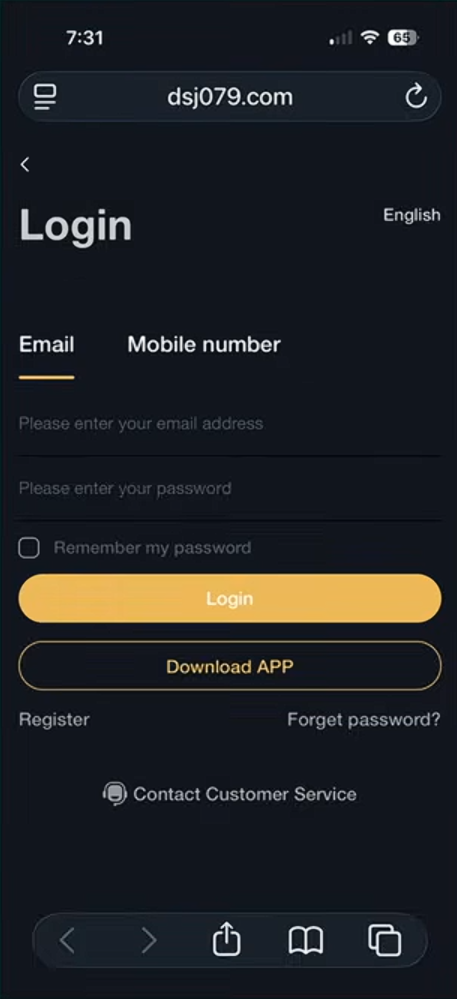
Step 1 — Log Into Your DSJ Account
Go to the DSJ website.
Enter your email and password.
Tap Login.
Important Information About Bonus Trades
If you started with $500 or more, you received 6 bonus trades.
How Bonus Trades Work
1️⃣ Six bonus trades total
2️⃣ Four trades on Day 1
3️⃣ Two trades on Day 2
Bonus Trade Schedule
Trades will appear at these times:
• 2:00 PM
• 2:30 PM
• 8:30 PM
• 9:00 PM⏰ Important:
You only have 10 minutes to complete each trade.Make sure you are logged in and ready early.
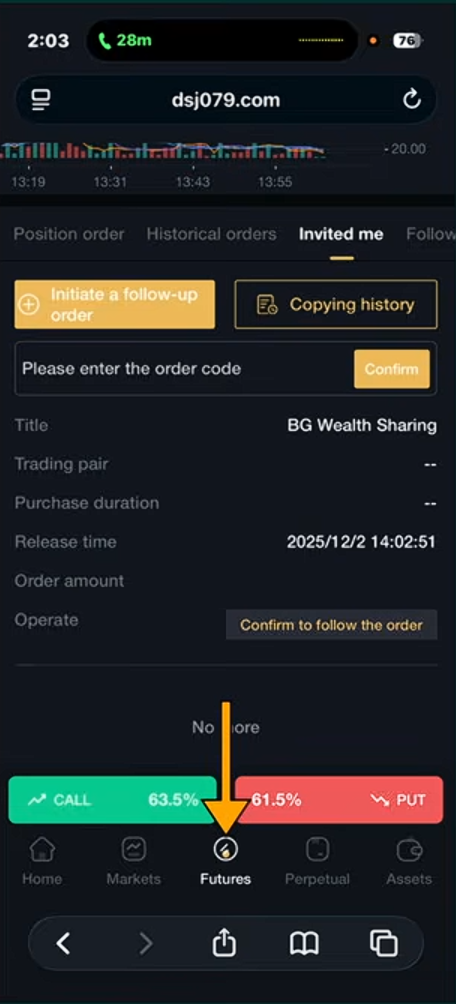
Step 2 — Open Futures
Once inside DSJ:
Tap Futures at the bottom of the screen.
This is where all trades are processed.
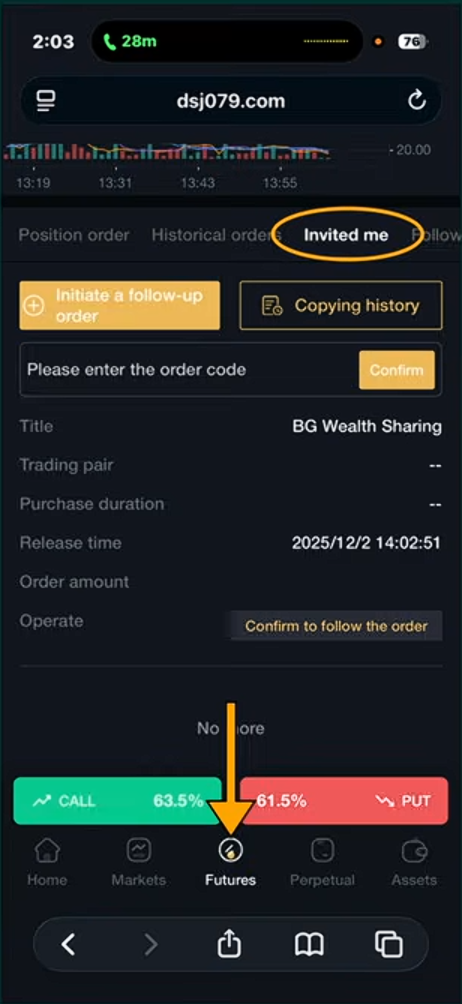
Step 3 — Tap “Invited Me”
At the top of the screen:
Tap Invited Me.
This is where bonus trades will appear automatically.
⚠️ Unlike regular trades, no code is needed for bonus trades.
Step 4 — Confirm The Trade
Scroll down until you see:
Confirm to follow the order
Tap Confirm.
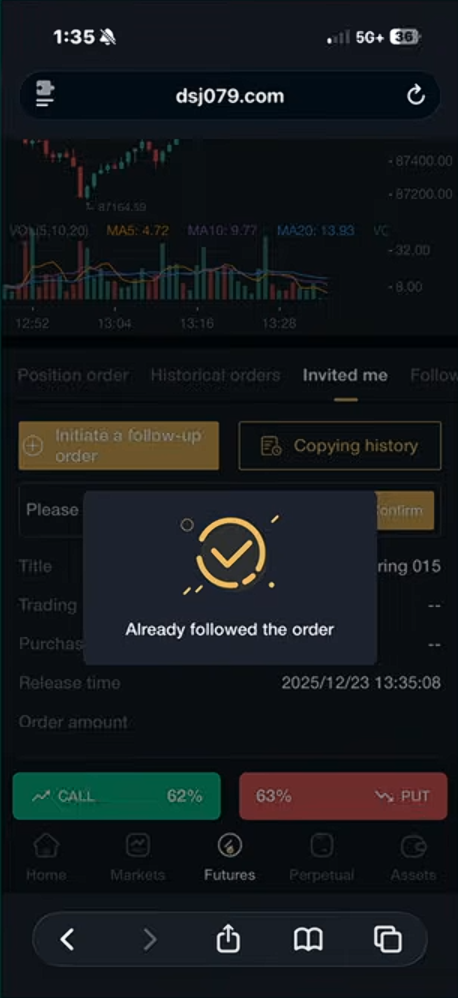
Step 5— Trade Confirmation
After confirming the trade, a message will appear saying:
“Already followed the order.”
This means your trade was successfully placed.
Step 6 — Check Your Trade Status
Just like regular trades:
1️⃣ Tap Position Order
2️⃣ Your trade will show as Pending
Step 7 — View Your Results
After the trade finishes:
Tap Historical Orders
Scroll down
View your Profit or Loss
Step 11 — Check Your Order
Pending
This means the trade is processing.
Important Reminders
✔ Bonus trades do not require a code
✔ You only have 10 minutes to complete each trade
✔ Make sure you log in early so you don’t miss the trade