Steps to Get You All Set Up

Step 1 — Log Into Your DSJ Account
Go to the DSJ Exchange App
Enter your email and password.
Tap Login.
Once logged in, you can begin the account verification process.

Step 2 — Open Your Profile
Tap the profile icon in the top left corner.
This will open your account verification menu.
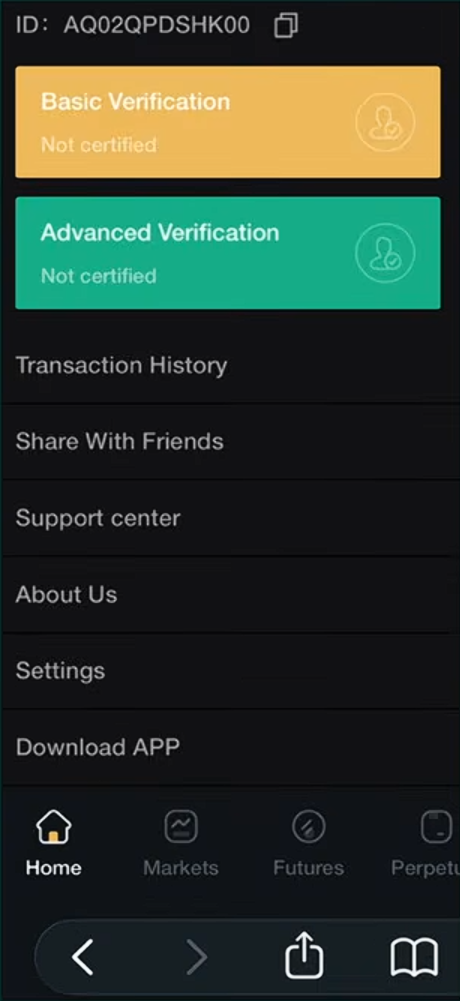
Step 3 — Locate Verification Sections
You will see two sections:
• Basic Verification
• Advanced VerificationBoth may show Not Certified.
You must complete Basic Verification first.
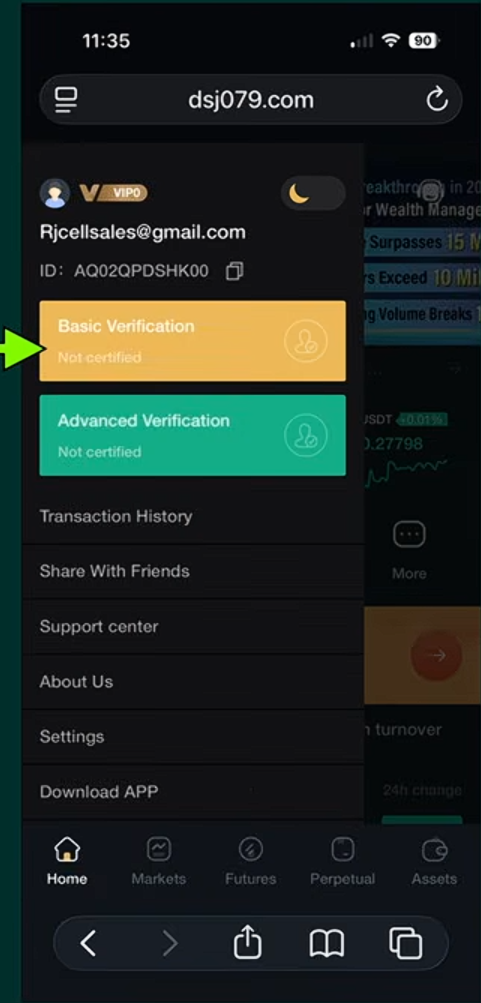
Step 4 — Start Basic Verification
Tap Basic Verification.
This is the first step required before completing advanced verification.
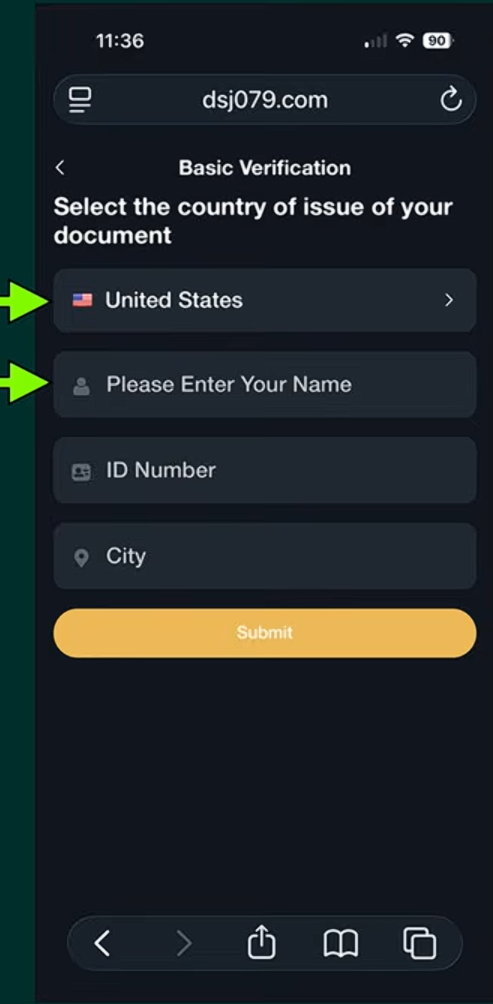
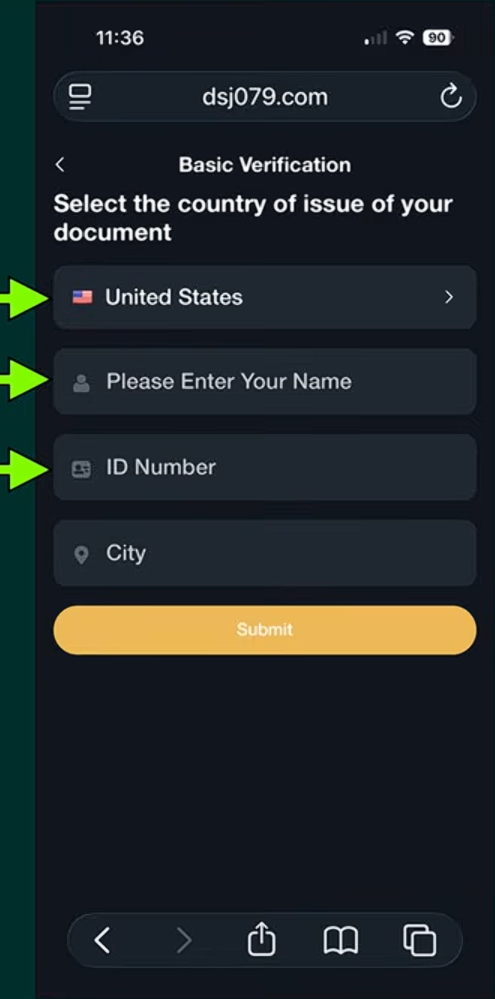
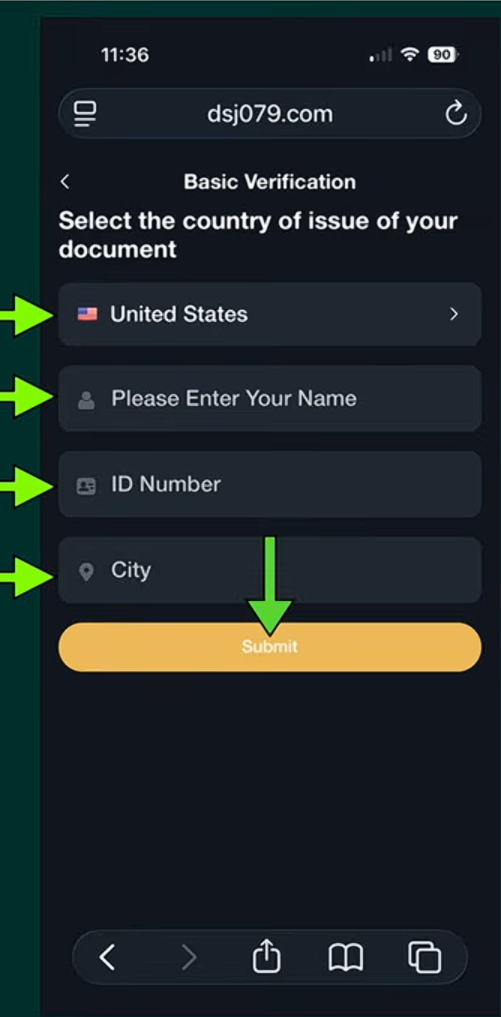
Step 5 — Enter Your Personal Information
Fill in the required information:
Select your country
Enter your full name
Enter your ID number (Driver’s License Number)
Enter your city
Then tap Submit.
Step 6 — Wait For Verification
Your status will change to:
Authentication
This means DSJ is reviewing your information.
Verification usually takes a few minutes to about an hour.
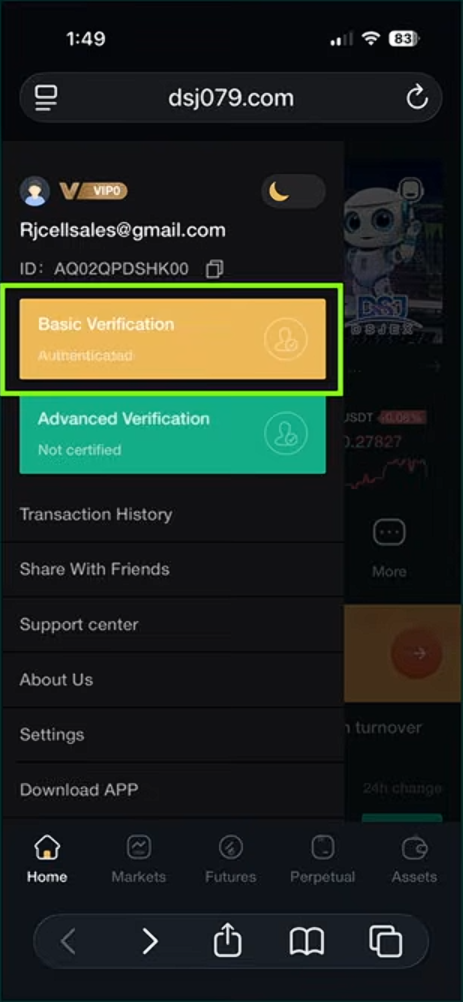
Step 7 — Basic Verification Complete
Once approved, you will see:
Basic Verification — Authenticated
Now you can move on to Advanced Verification.
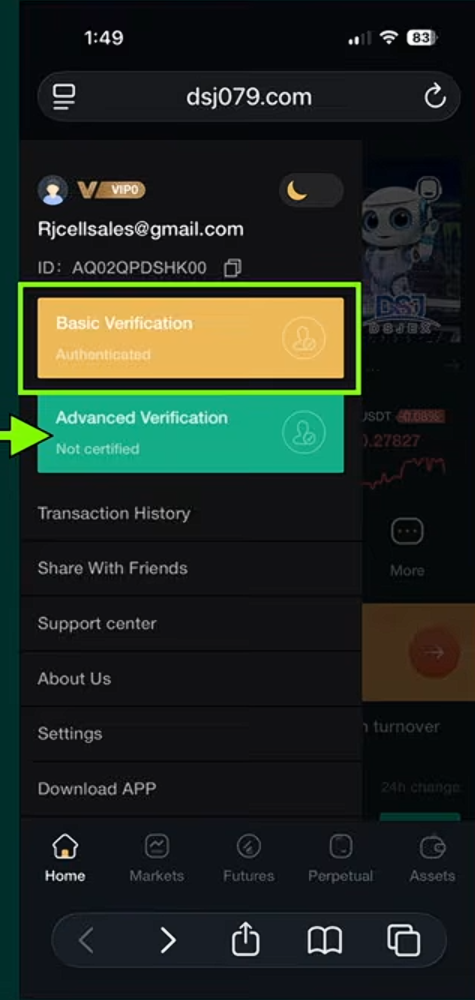
Step 8 — Start Advanced Verification
Tap Advanced Verification.
This step confirms your identity with photo verification.
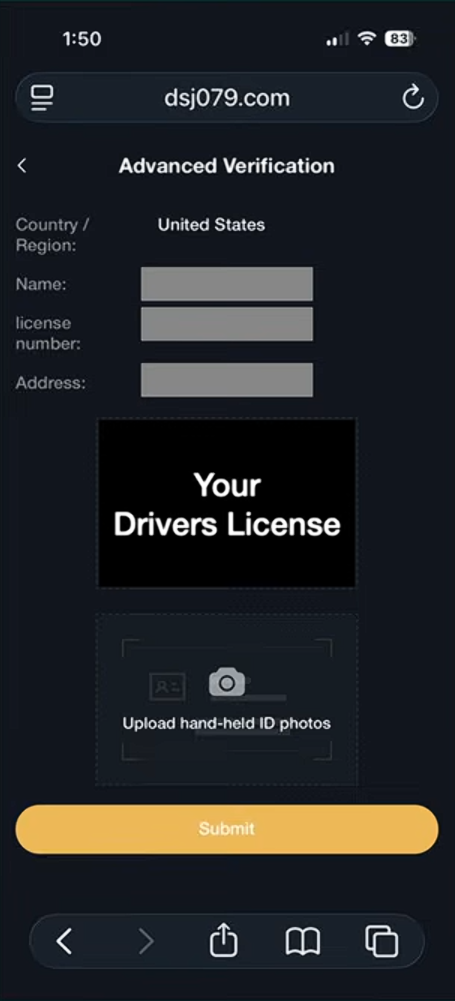
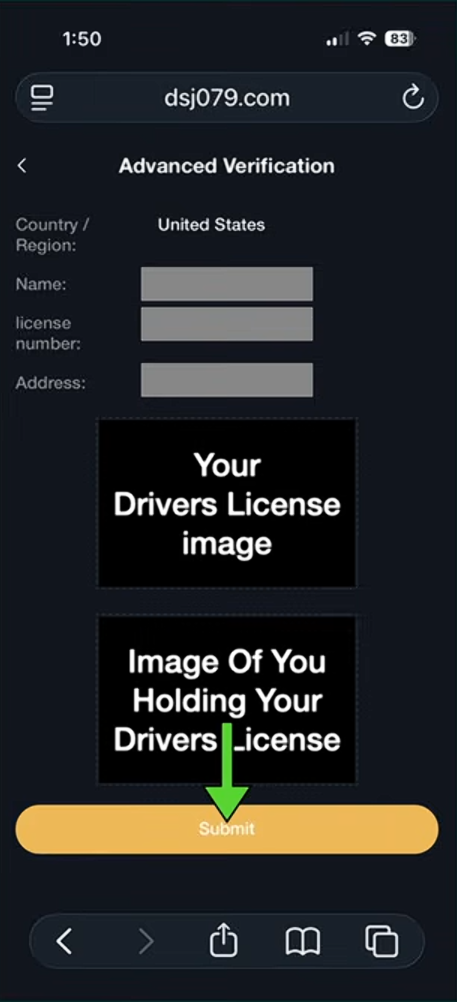
Step 9 — Upload Your Identification
You will need to upload:
1️⃣ A photo of your driver’s license
2️⃣ A photo of you holding your driver’s licenseThis confirms that the ID belongs to you.
Step 10 — Submit Your Documents
After uploading the images:
Tap Submit.
Your status will change to Authentication while DSJ reviews your documents.
Step 11 — Advanced Verification Processing
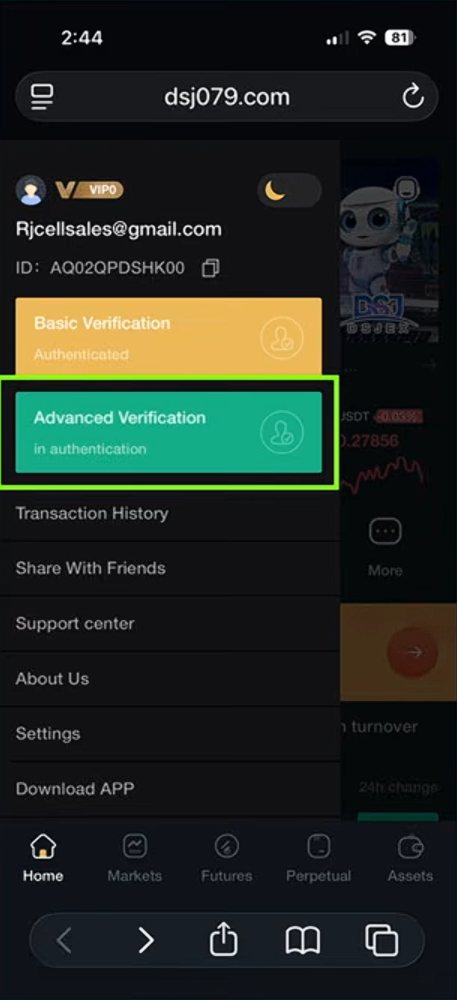
Your account will show:
Advanced Verification — In Authentication
Verification usually takes about 10–30 minutes, though times may vary.
Final Result
Once approved, your account will show:
✔ Basic Verification — Authenticated
✔ Advanced Verification — Authenticated
Your DSJ account is now fully verified.