Steps to Get You All Set Up
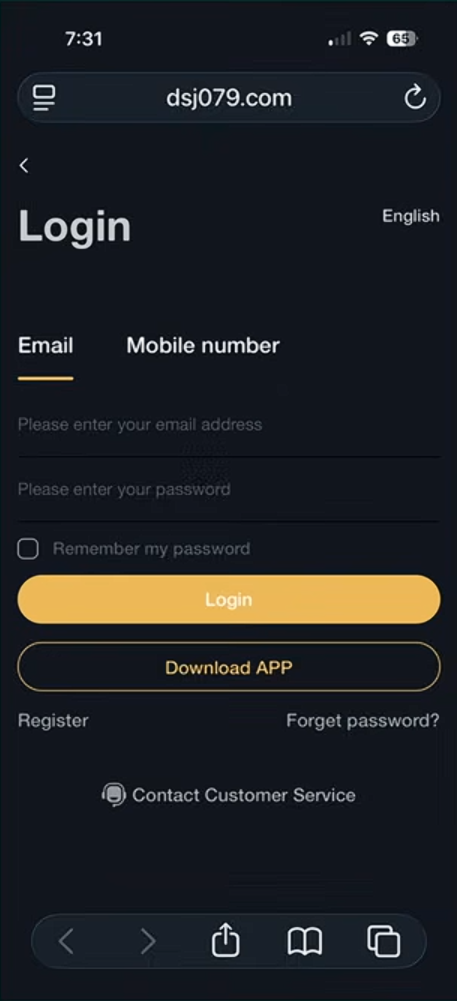
Step 1 — Log Into Your DSJ Account
Go to the DSJ website.
Enter your email and password.
Tap Login.
Step 2 — Confirm You Are Logged In
Once logged in, you will see theDSJ dashboard.
You are now ready to follow the trade signal.
IMPORTANT — Regular Trades
You have two regular trades every day.
• 4:00 AM Australian Eastern Standard Time (AEST)
• 10:00 AM Australian Eastern Standard Time (AEST)
You will only have 20 minutes to complete the trade.
⚠️ Important Tip:
Log in 5 minutes earlyso you don’t miss the trade.
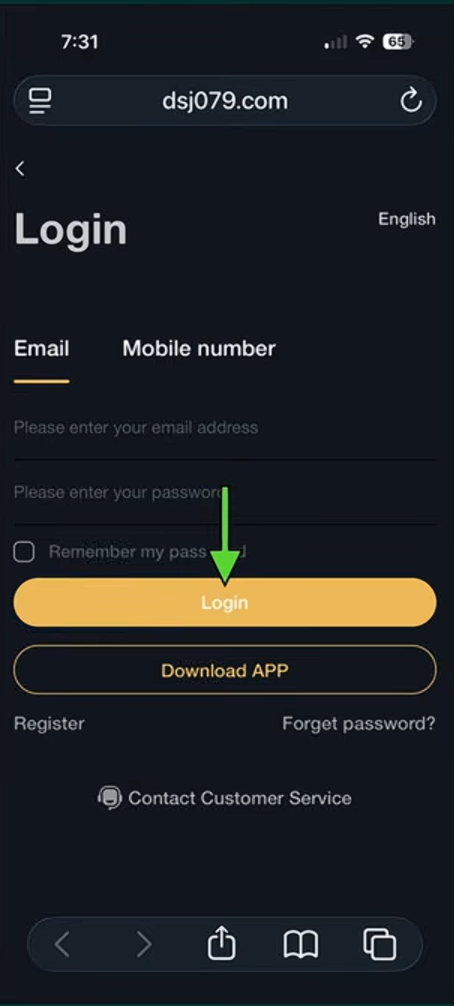
Step 3 — Open BonChat
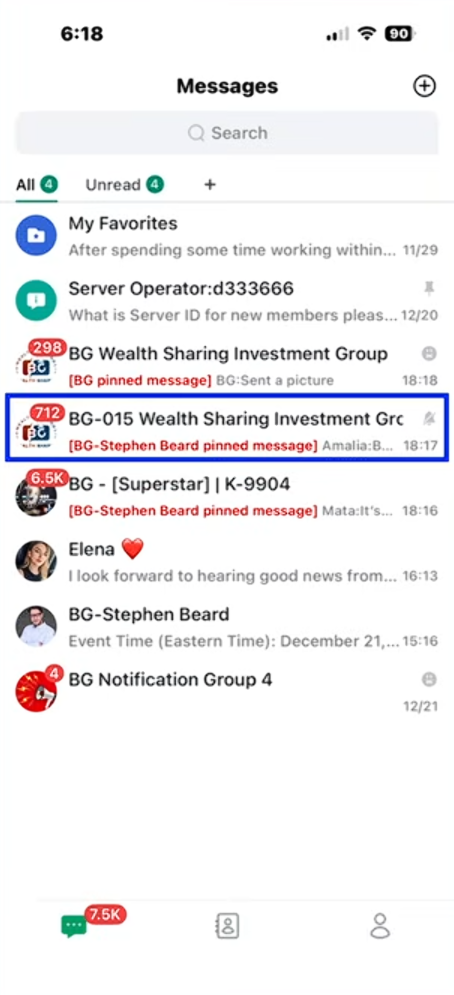
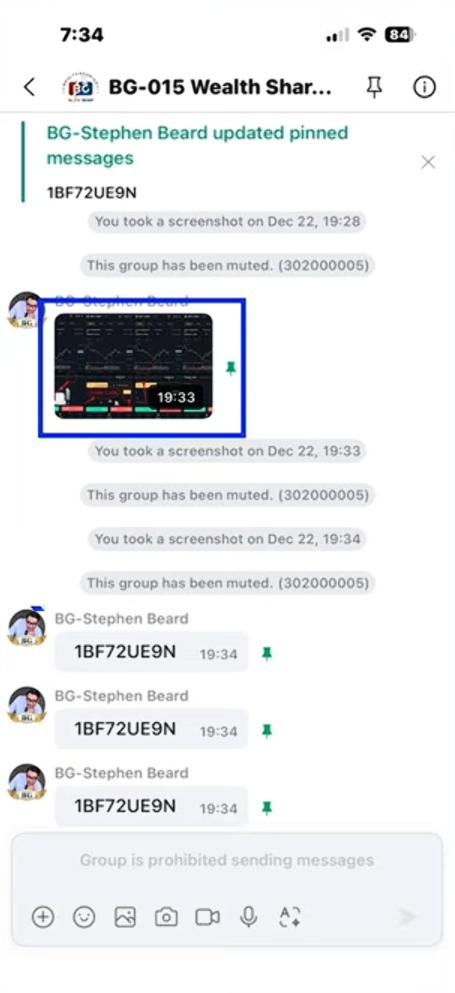
Open BonChat and go to your messages.
Find the group:
BG-015 Wealth Sharing Investment Group
Tap the group to open it.
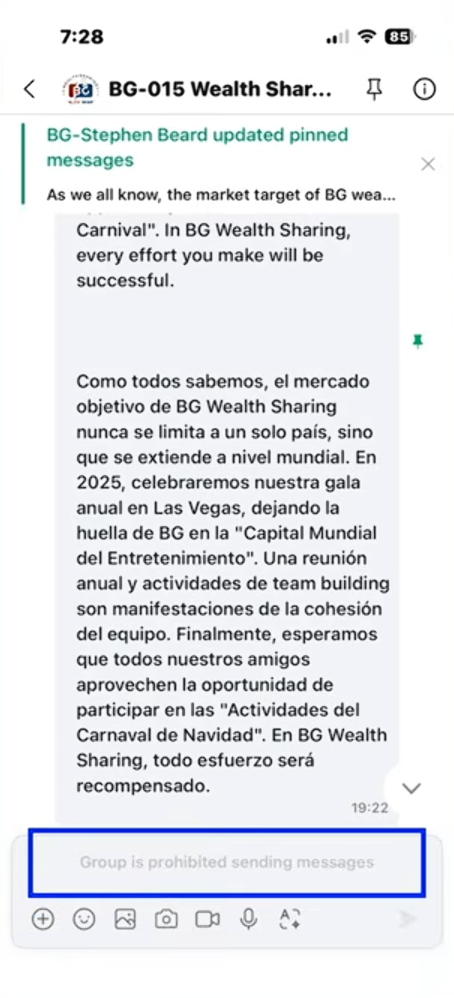
Step 4 — Wait For The Trade Code
When the trade is about to start:
• Messaging will be disabled
• This is normal.
Keep refreshing the page until the code appears.
Step 5 — Copy The Trade Code
When the professor posts the code:
Highlight the trade code.
Copy the code.
Example code shown:
1BF72UE9N
Step 6 — Go Back To DSJ
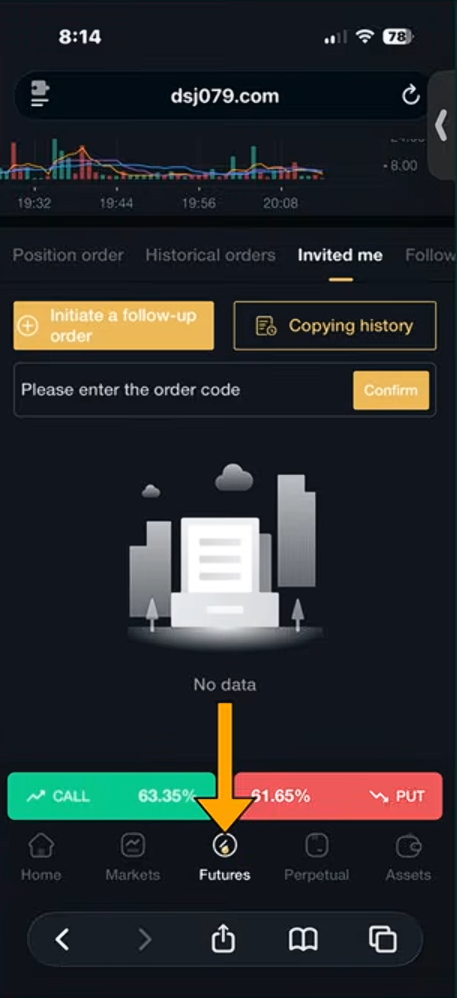
Return to your DSJ Exchange account.
Tap the Futures button at the bottom.
Step 7 — Open The “Invited Me” Page
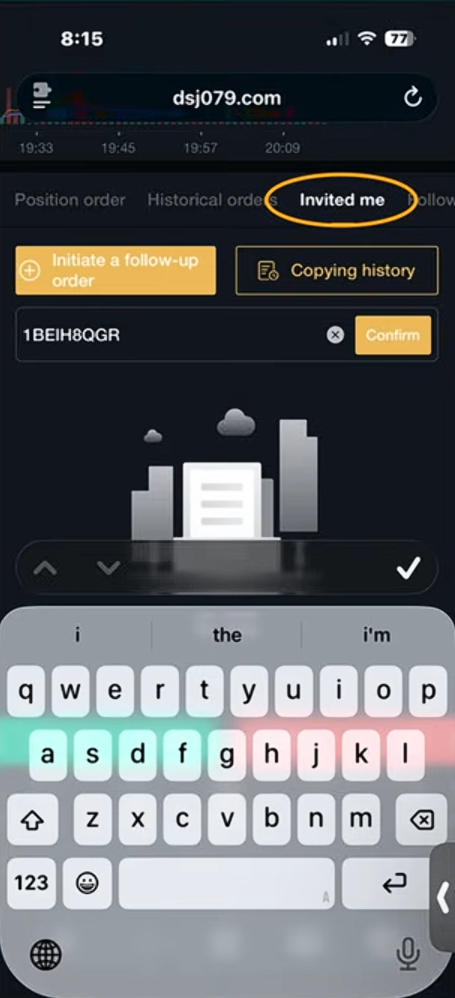
Tap Invited Me at the top of the screen.
This is where you enter the trade signal.
Step 8 — Paste The Code
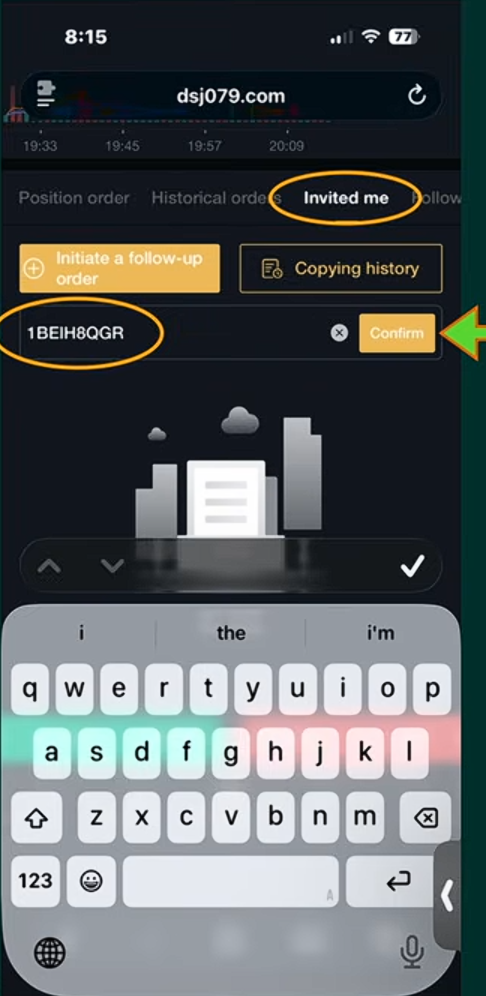
Paste the code you copied from BonChat.
Tap Confirm.
Step 9 — Trade Confirmation
You will see a message saying:
“Already followed the order.”
This means your trade was successfully placed.
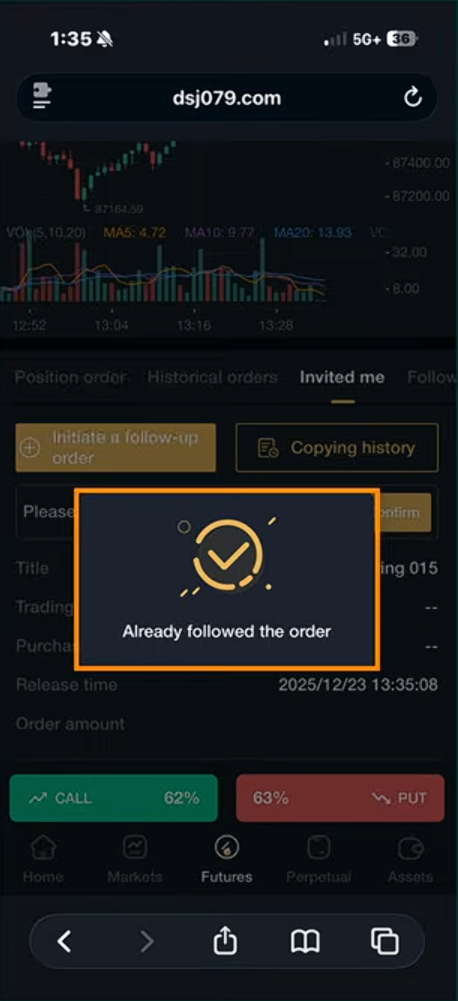
Step 10 — Check Your Order
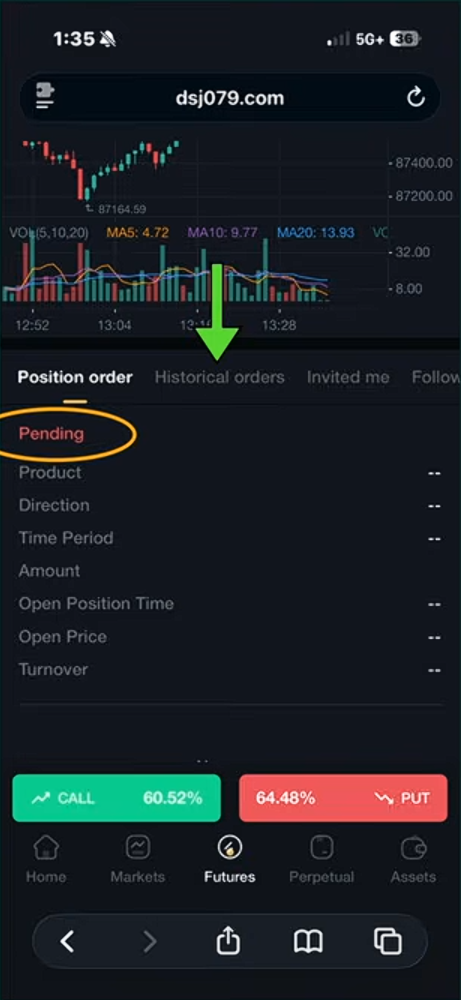
Tap Position Order.
Your trade should appear as:
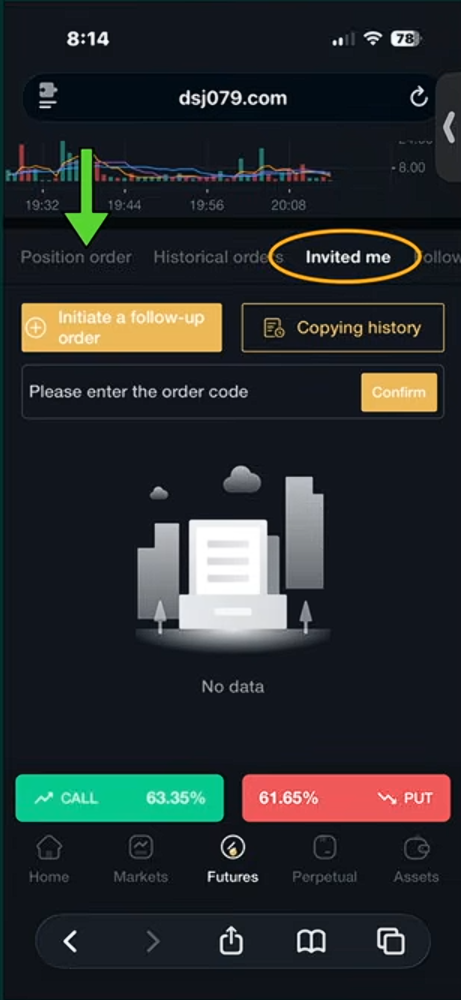
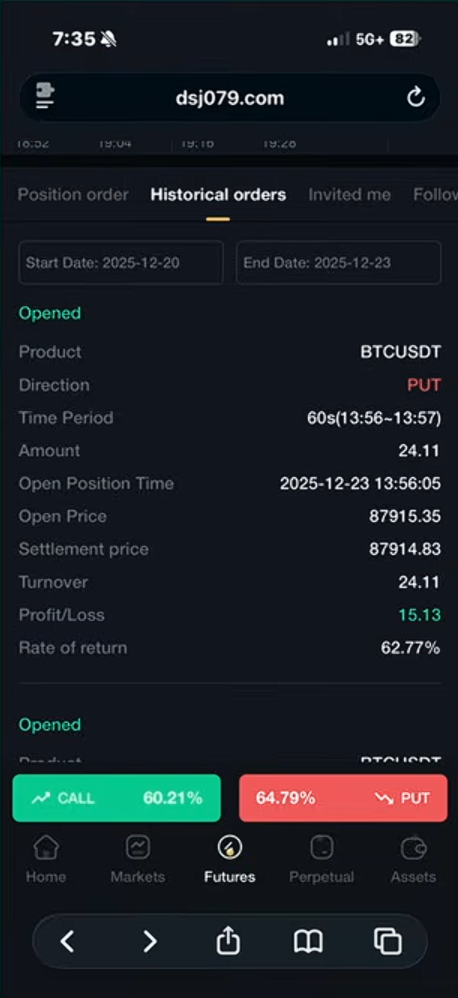
Step 12 — View Your Profit
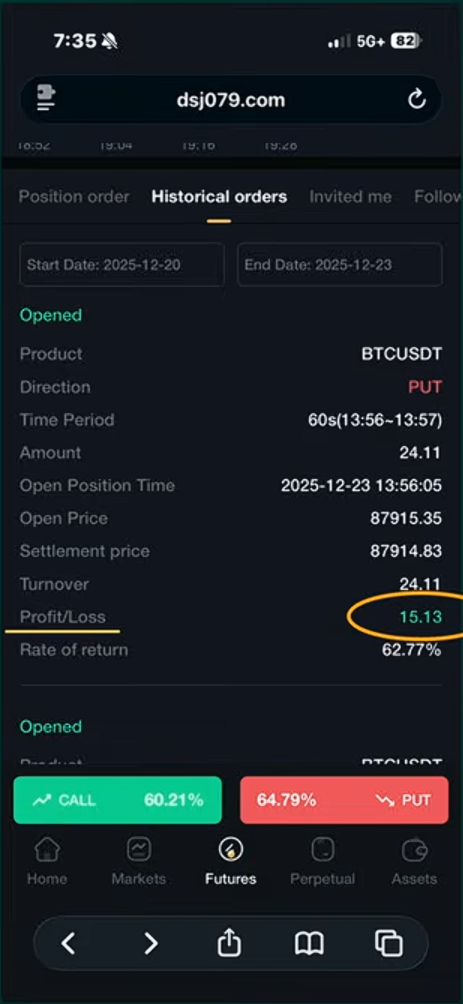
Scroll down to see:
Profit/Loss
Example shown:
Profit: $15.13
This confirms your trade was successful.
If You Get A Transaction Error
Don't panic.
Simply:
Refresh the page
Paste the code again
Click Confirm
Step 11 — Check Your Order
Pending
This means the trade is processing.