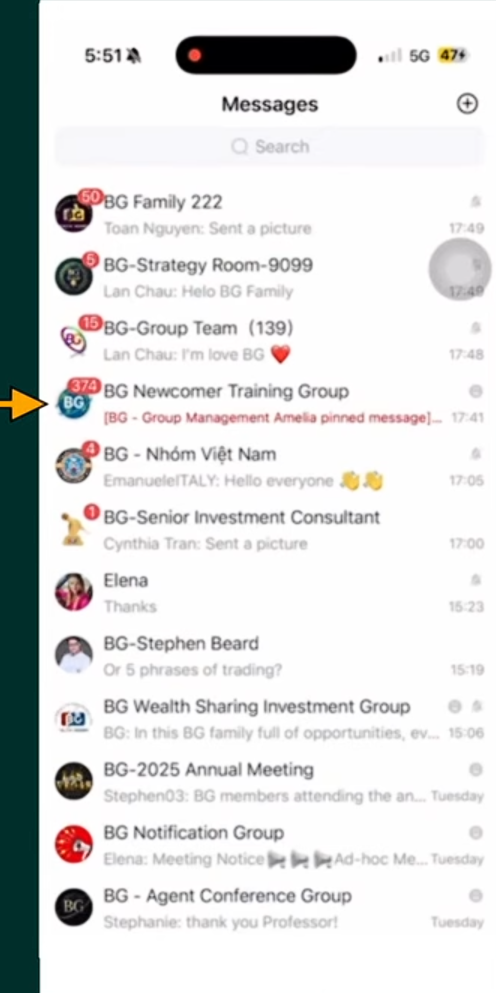
Steps to Get You All Set Up
Step 1 — Open Your App Store
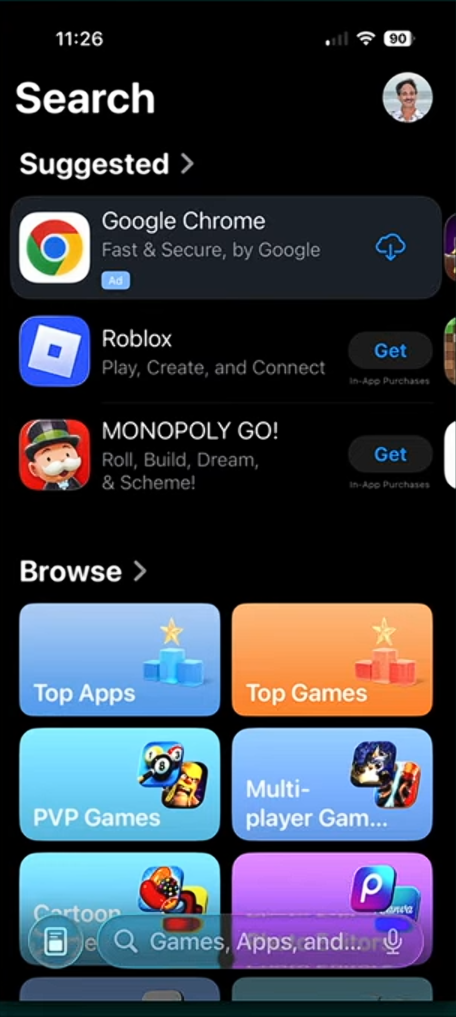
Open the App Store or Google Play Store on your phone.
Tap the Search bar at the bottom.
Step 2 — Search for BonChat
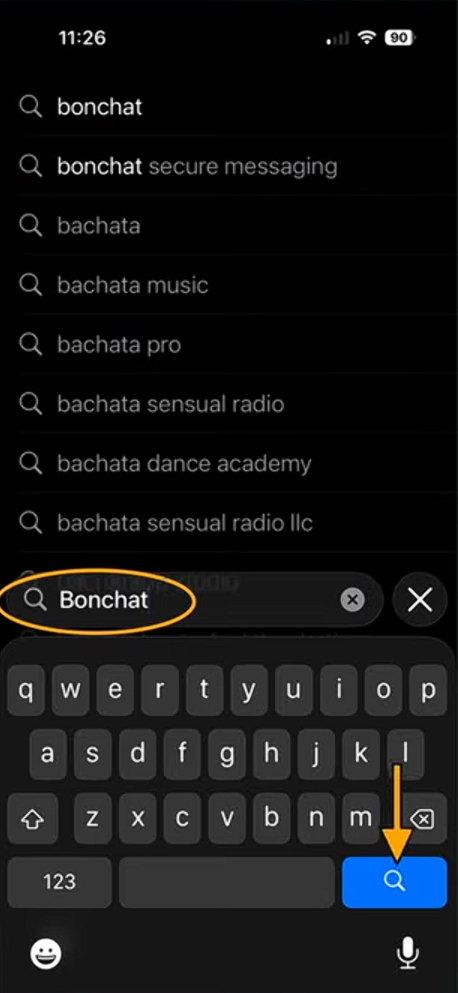
Type BonChat in the search bar.
Tap the Search button
Step 3 — Download the App
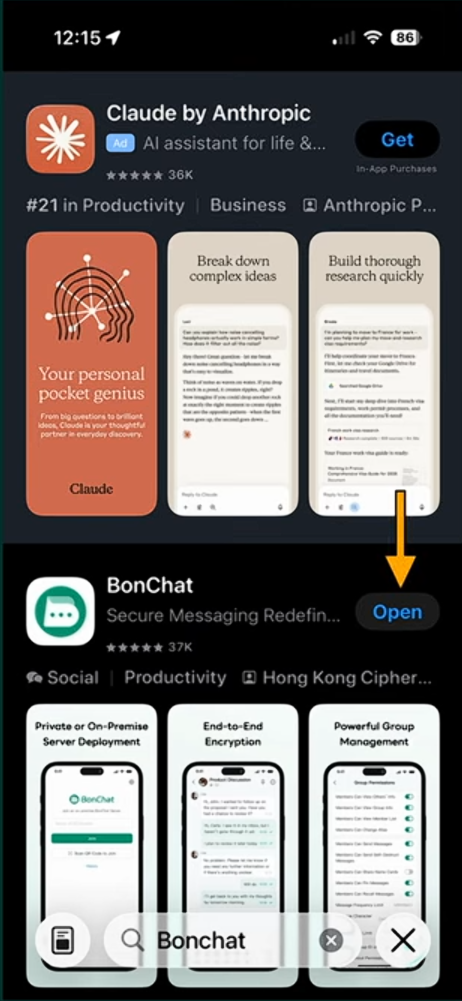
Find the BonChat app.
Tap the Download button.
Step 4 — Open the App
Once the app installs, tap Open.
⚠️ Important:
Make sure you have the secure code from the person who referred you.
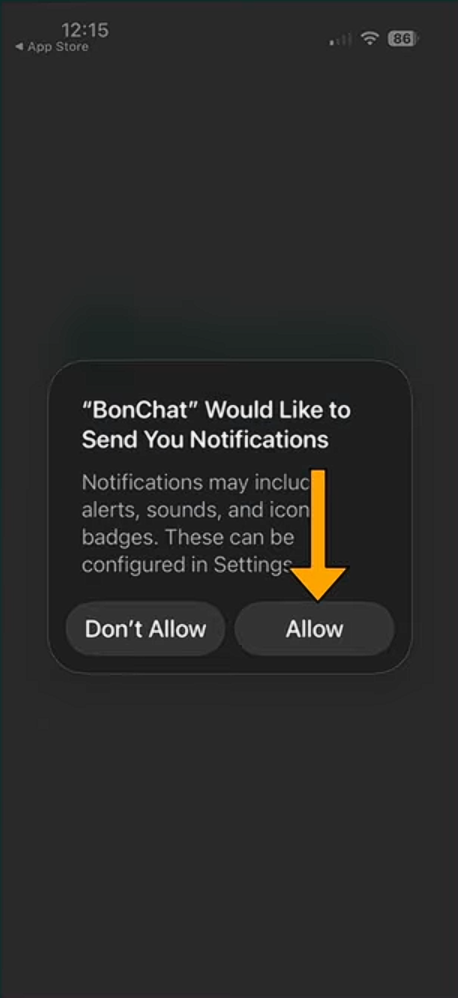
Step 5 — Allow Notifications
When asked, tap Allow.
This helps you receive important messages and updates.
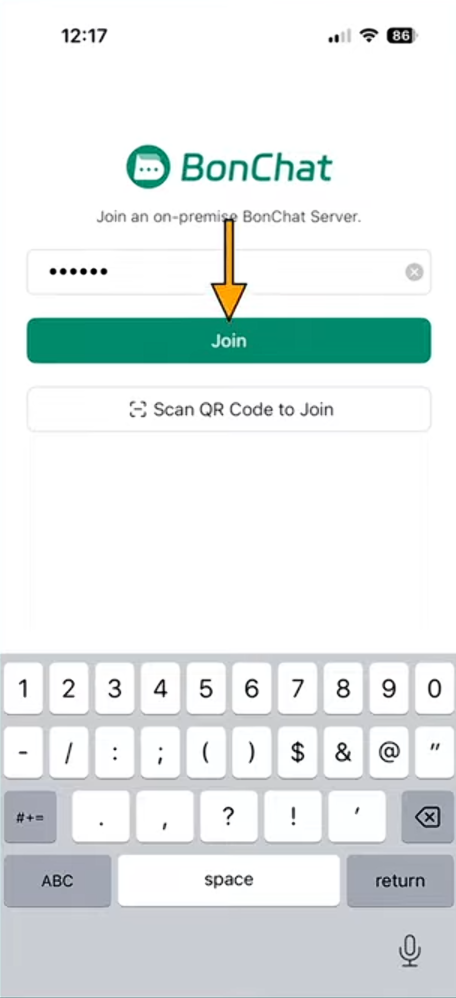
Step 6 — Enter Your Secure Code
Enter the secure code given to you.
Tap Join.
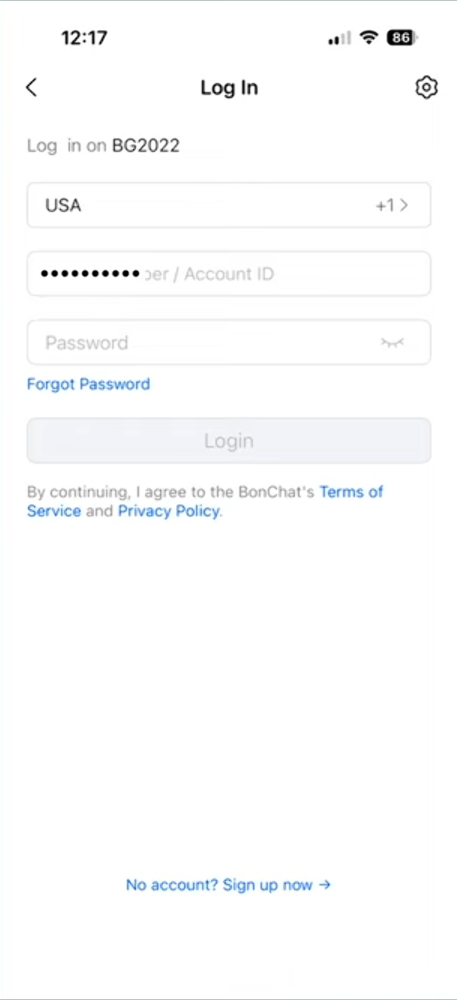
Step 7 — Enter Your Phone Number
Select your country.
Enter your mobile phone number.
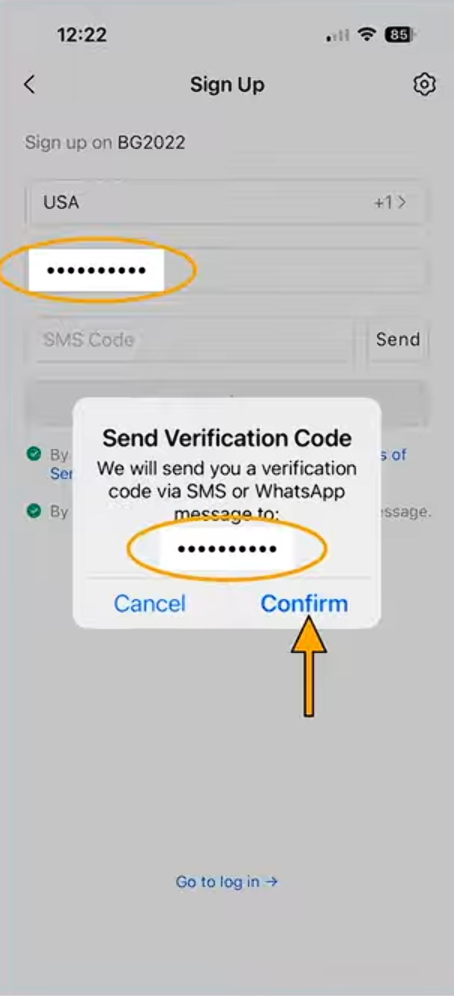
Step 8 — Confirm Your Number
Check that your number is correct.
Tap Confirm.
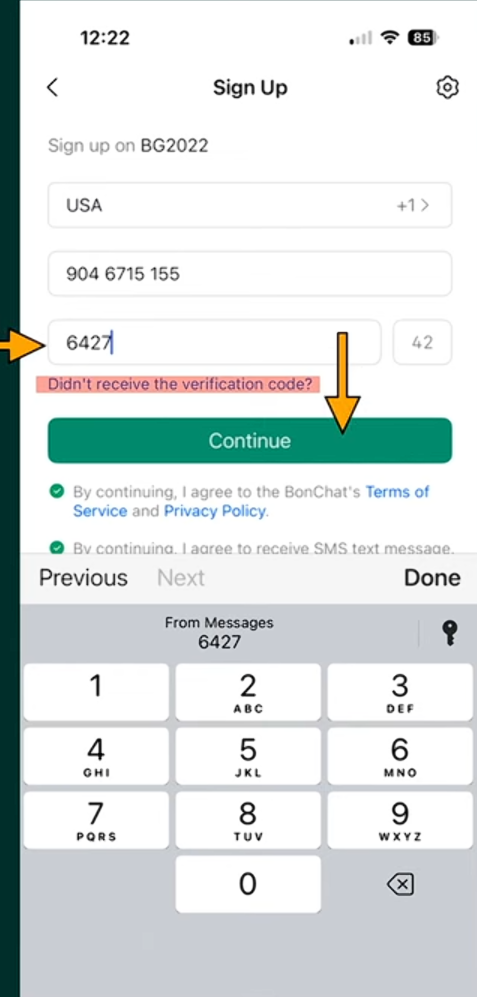
Step 9 — Enter the Verification Code
You will receive a verification code by SMS.
Enter the code in the box.
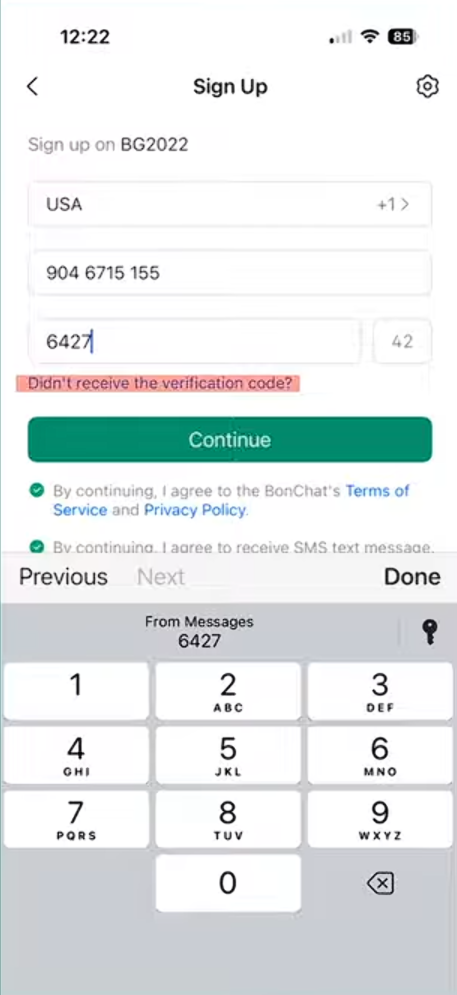
Step 10 — Continue
Tap Continue to move to the next step.
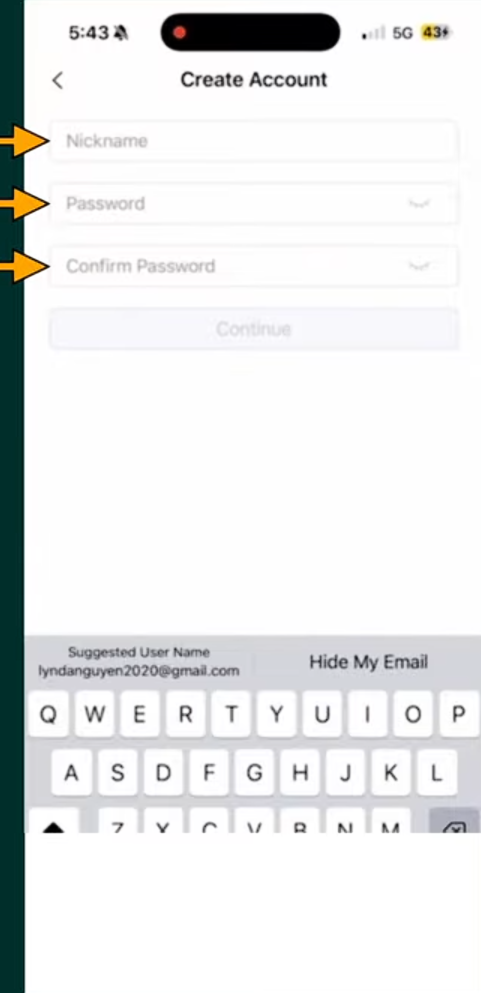
Step 11 — Create Your Account
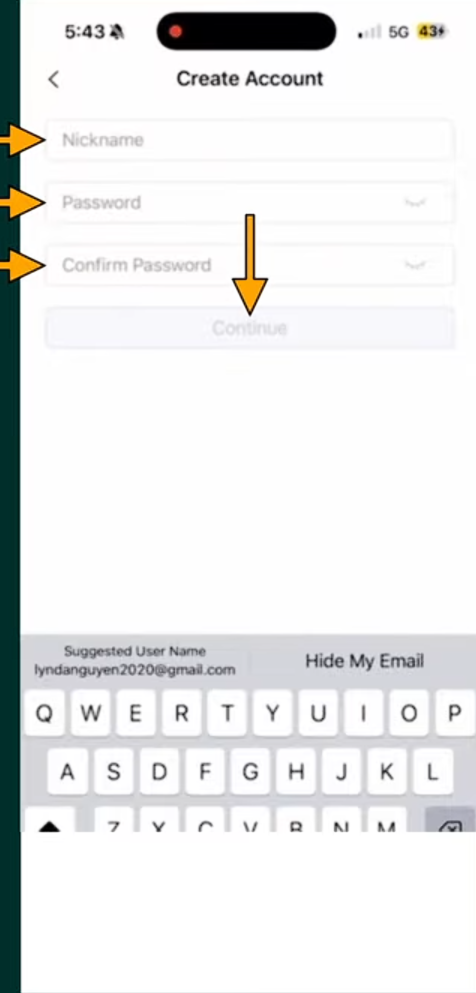
Enter a Nickname.
Create a Password.
Confirm your Password.
Step 12 — Finish Creating Your Account
Tap Continue.
Your BonChat account is now created.
Step 13 — Open Messages
You will now see your BonChat messages screen.
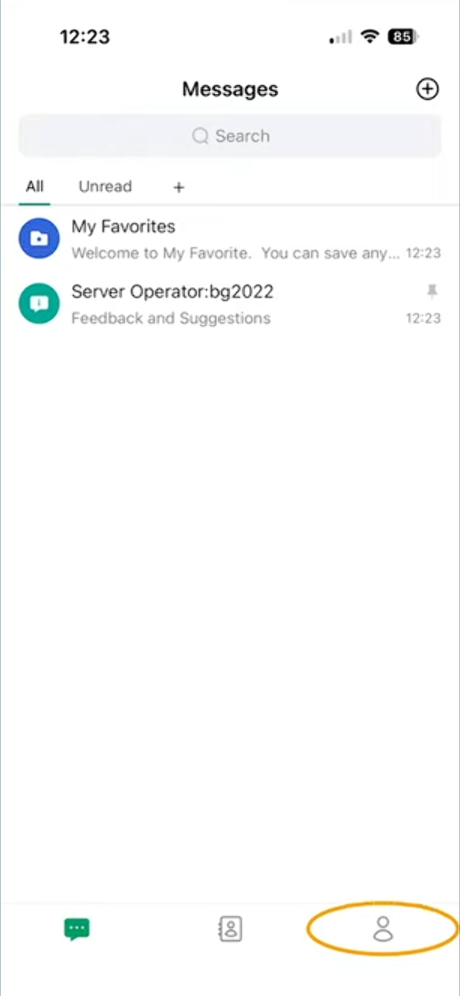
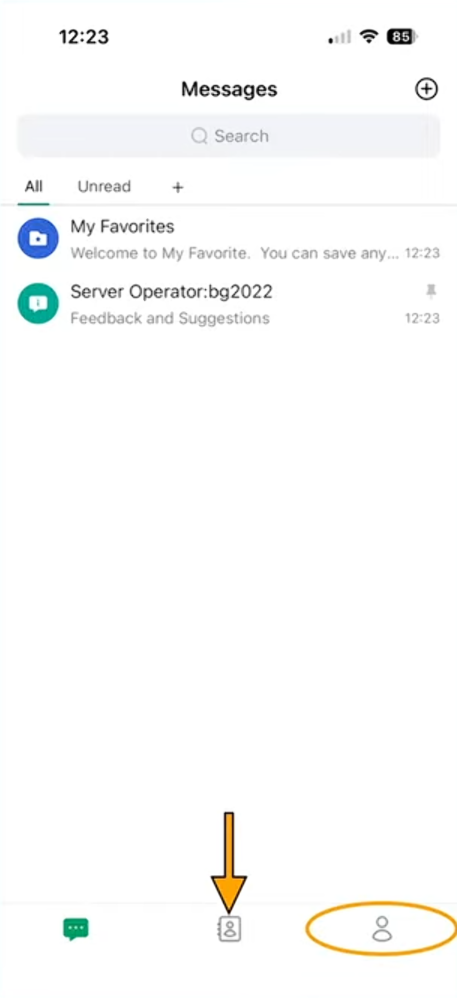
Step 14 — Open Contacts
Tap the Contacts icon at the bottom.
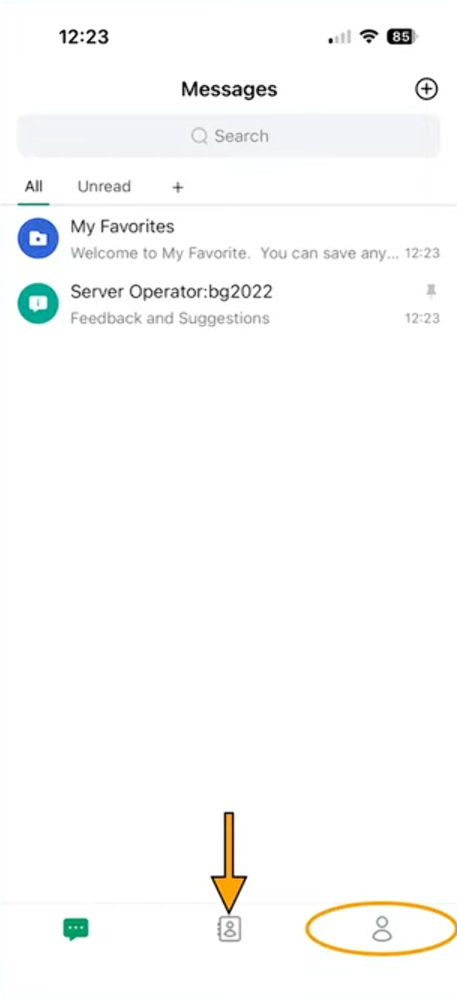
Step 15 — Add New Friends
Tap New Friends
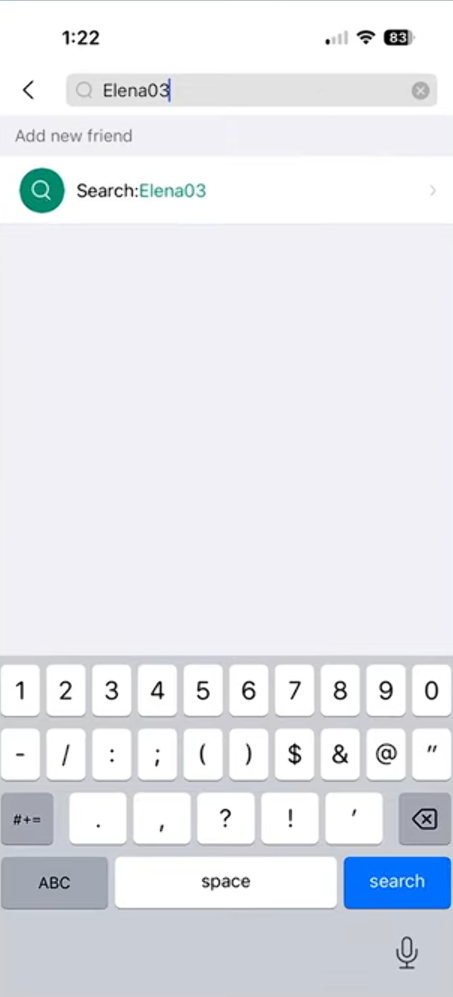
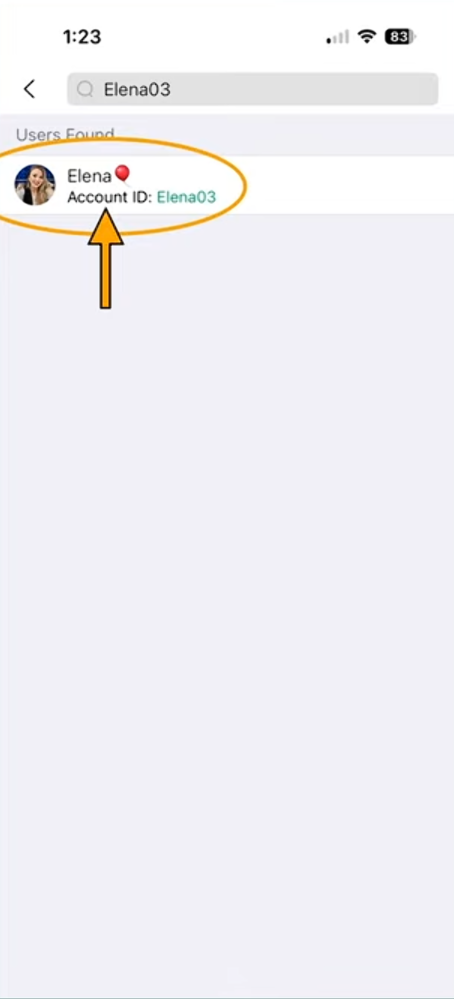
Step 16 — Search for Elena
Type Elena03 in the search bar.
Step 17 — Select Elena
Tap Elena03 when her profile appears.
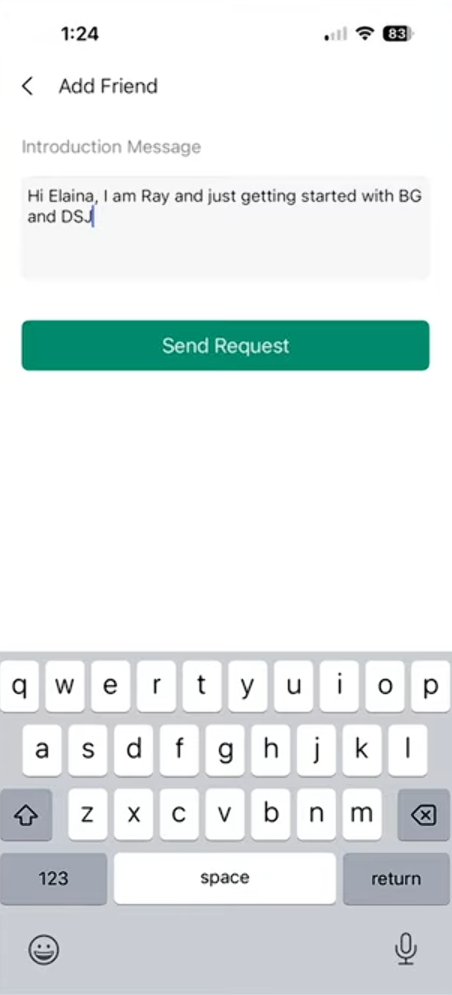
Step 18 — Send a Friend Request
Write a short message like:
"Hi Elena, I’m getting started with BG and DSJ."Tap Send Request.
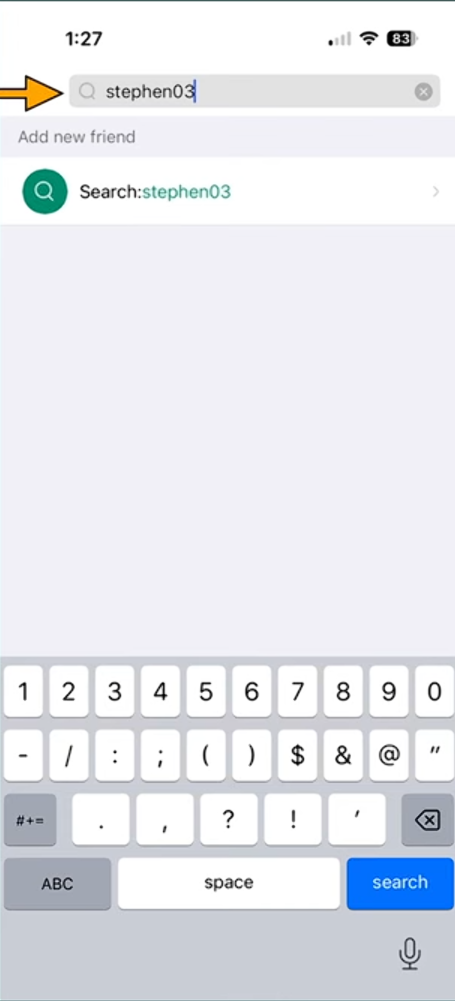
Step 19 — Search for Stephen
Go back to search.
Type Stephen03.
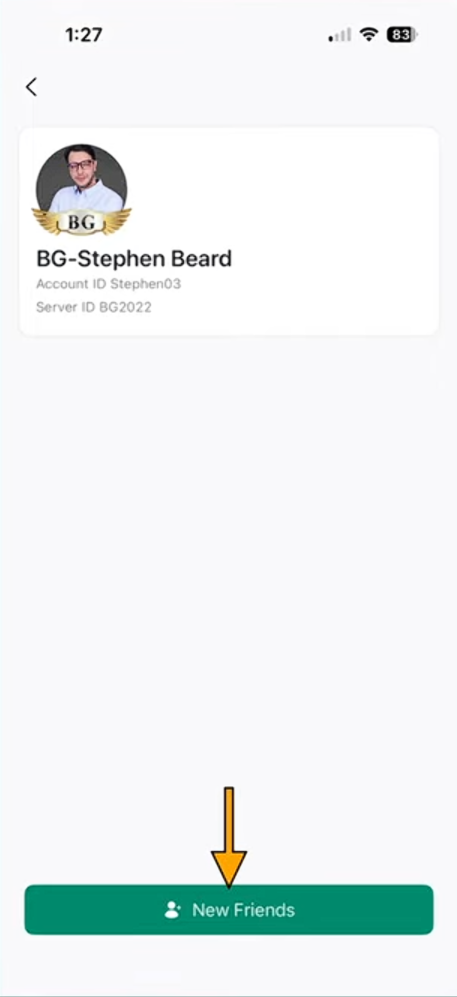
Step 20 — Add Stephen
Select Stephen03.
Tap New Friends and send a request.
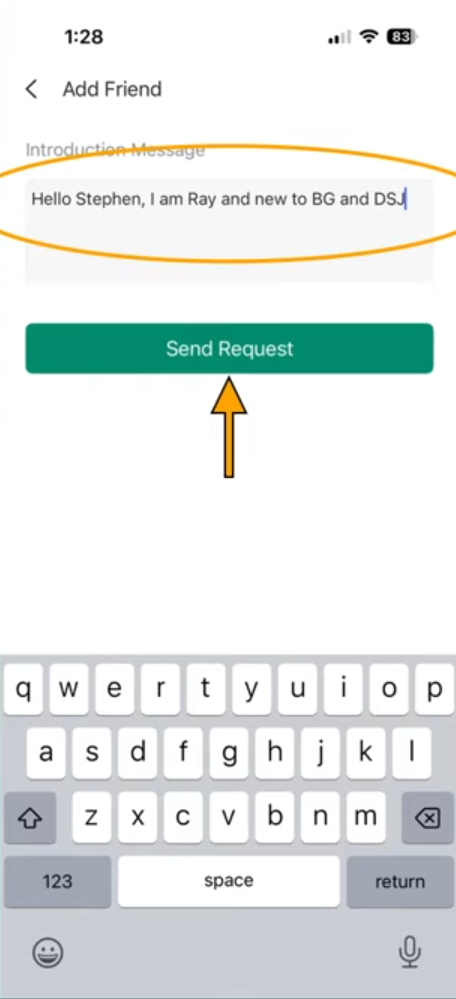
Step 21 — Send a Friend Request
Write a short message like:
"Hi Stephen, I’m getting started with BG and DSJ."Tap Send Request.
Step 22 - Check Your Messages
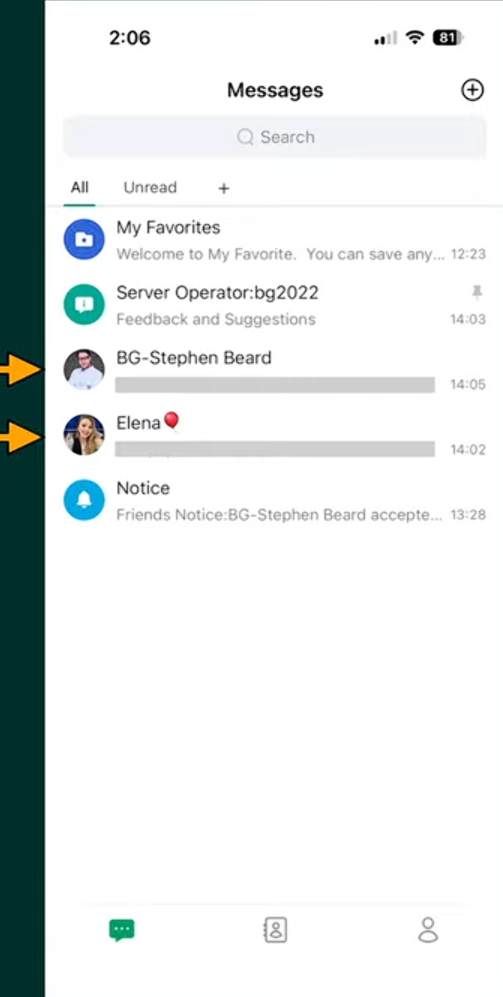
Go back to Messages.
Elena and Stephen will message you.
They will ask a few questions to approve you for the BG Wealth Sharing group.
Congrats! You Have Completed this Step
Once approved, you will get access to:
• Newcomer Training
• Trading Codes
• Community Support
• Future Updates
✅ That's it — You Have Successfully Completed this Step!