Steps to Get You All Set Up
Important: Before you can do anything email or message Clark & Kamili for your invitation Link to get started.
Step 1 - Open the Registration Page
Important:"
Before you click the DSJ Exchange invitation link you must turn off your Wifi and use your mobile data or else the link will not work. Once you have done this you can then click the link.
Click the DSJ Exchange invitation link provided.
This link includes your invitation code automatically.
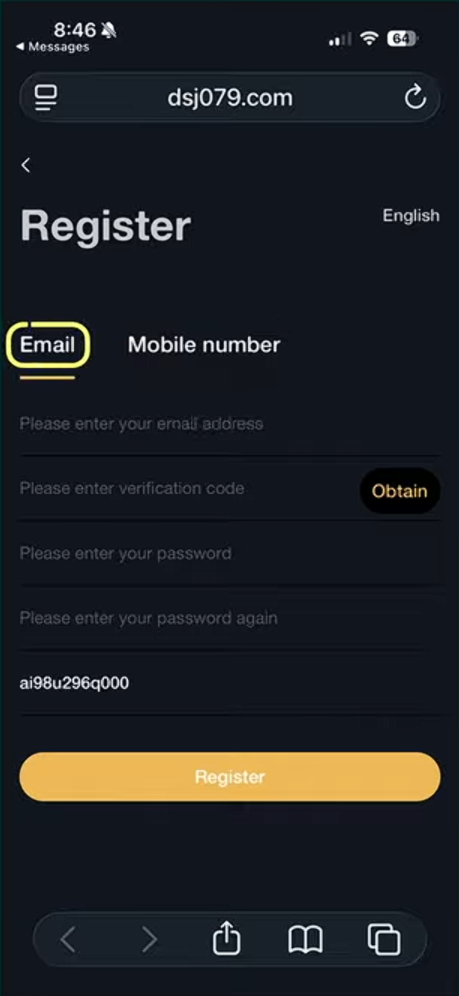
When the page opens, make sure Email is selected (recommended).
You can also use Mobile Number, but email is easier for most people.
Step 2 - Enter Your Email and Create a Password
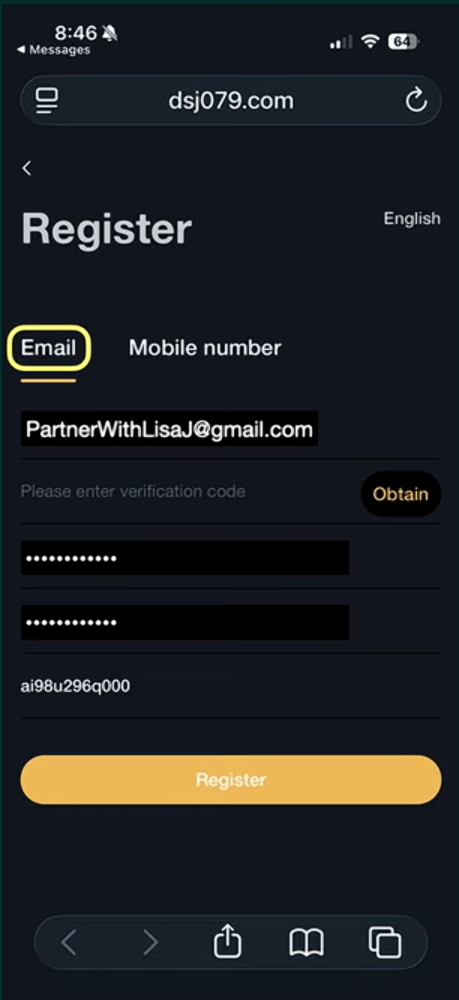
Enter your email address.
Create a password.
Enter the same password again to confirm it.
The invitation code will be filled in automatically.
Step 3 - Click “Obtain” to Start Verification
Click the Obtain button.
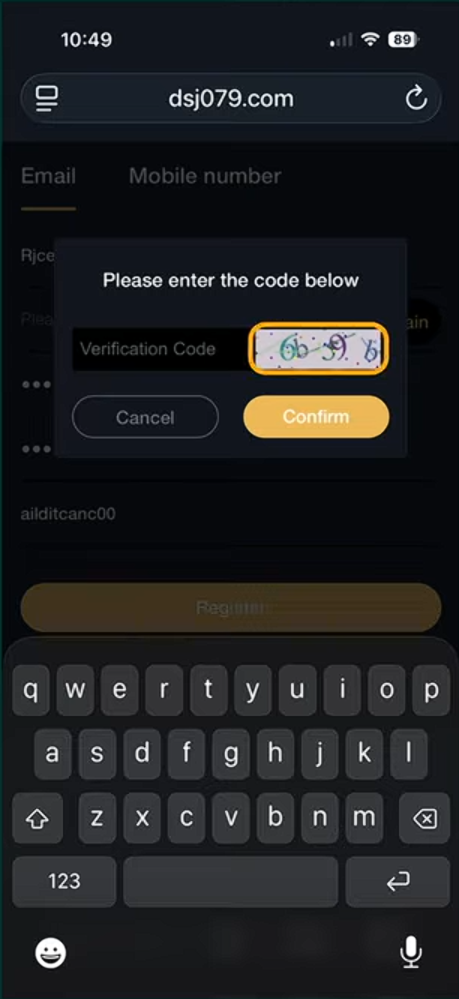
A security captcha box will appear.
Step 4 - Complete the Captcha
Look at the letters and numbers in the image.
Type them into the Verification Code box.
Click Confirm.
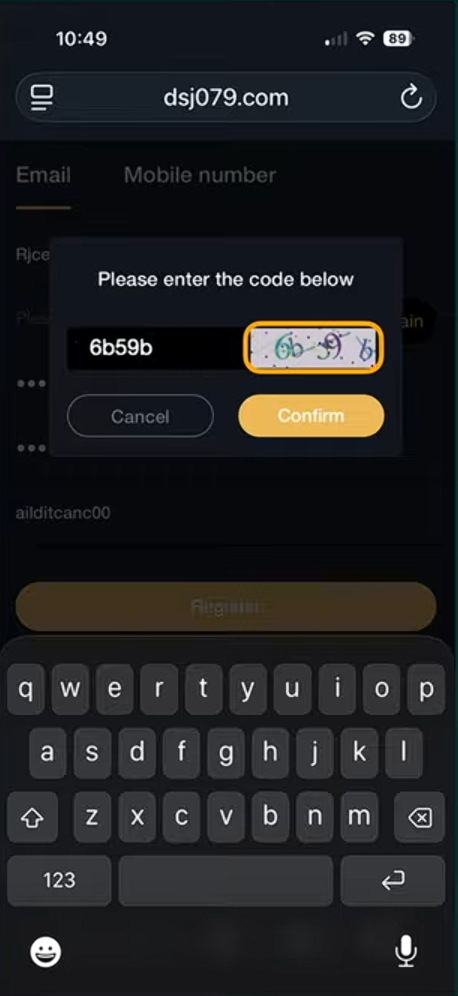
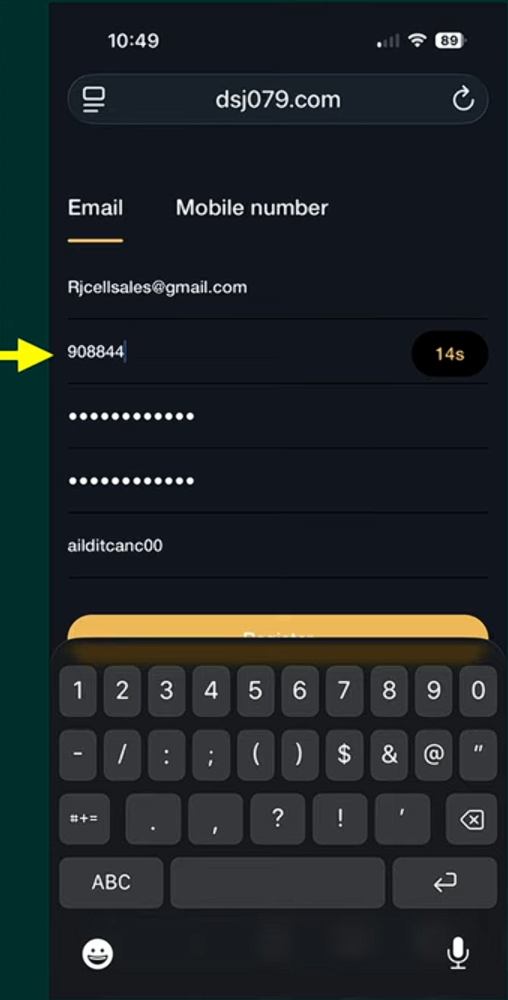
Step 5 - Enter the Verification Code Sent to You
DSJ will send you a verification code.
If you used email, check your inbox.
If you used mobile, check your text messages.
Enter the verification code in the box.
Important:
Be ready because this code is timed.
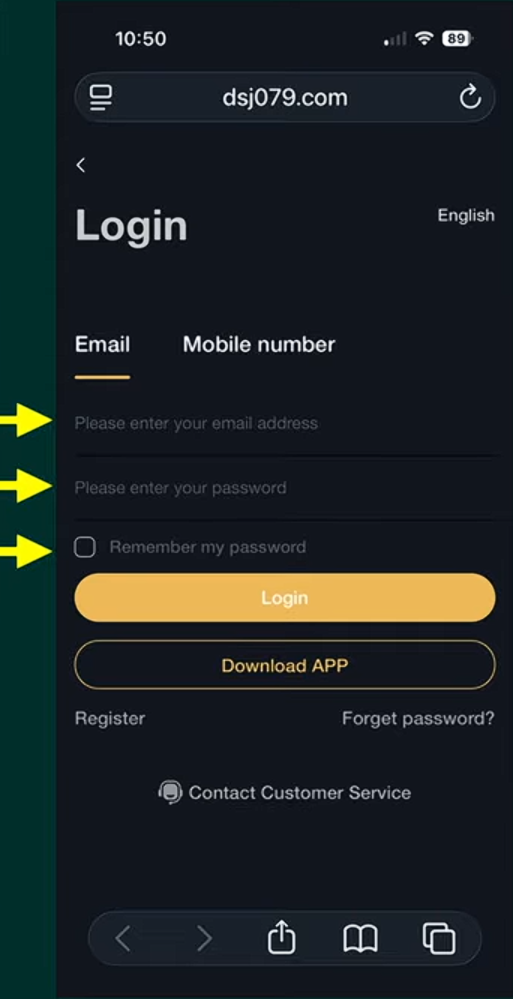
Step 6 - Go to the Login Page
After registering, you will see the Login page.
Enter your email address.
Enter your password.
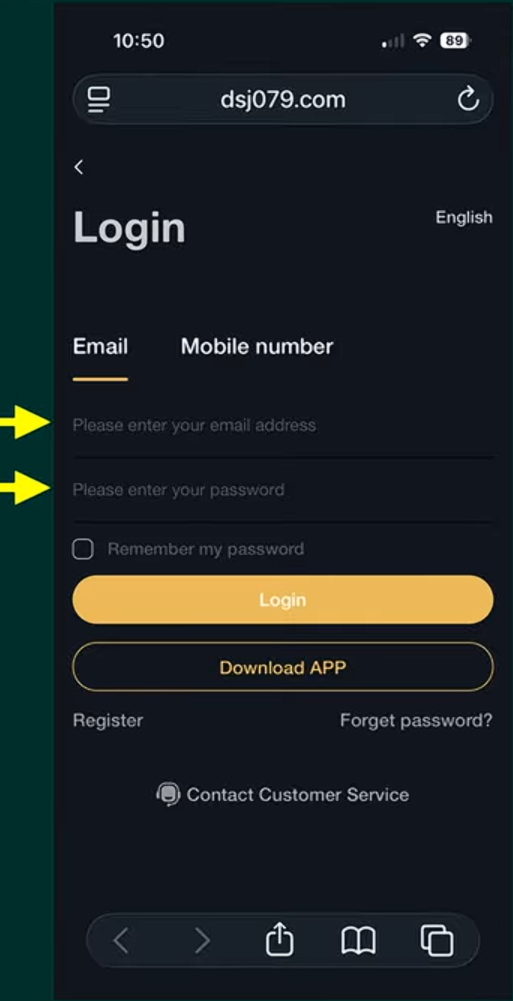
Step 7 - Log In to Your Account
If you want, check Remember my password so you don’t need to log in every time.
Click Login.
Your are now inside your DSJ Exchange account.
Congrats ! You Have Complete This Step.
✅ That's it — You Have Successfully Completed this Step!